


.avif)


AI tools have created a serious problem for digital exams. Without the right security measures in place, students can open ChatGPT or Claude in a new browser tab or use AI features inside an application like Excel. All while a supervisor watches over their shoulders from the back of the room.
AI cheating during exams has quickly become a problem for institutions. Does this mean it's time to go back to pen and paper? Not necessarily. With the right security architecture, you can hold on to the benefits of digital exams while eliminating cheating with AI.
In this article, you’ll learn:
- How students actually use AI to cheat during digital exams
- Why human supervision alone doesn’t work
- Why going back to pen and paper comes at a high cost
- What technical principles truly prevent AI misuse
- How you can apply those principles to conduct secure digital exams
If you want secure digital exams without giving up authenticity, below is your blueprint.
TL;DR
AI has made it extremely easy to cheat during unsecured digital exams. If students have access to a normal browser, local files, installed applications, or unrestricted internet, AI tools are often just one click away.
Human supervision alone cannot reliably detect this. At scale, it becomes nearly impossible to see or prove what happened on individual devices.
Yes, returning to pen and paper does remove the AI security problem. But it also removes everything that makes digital assessment valuable: authentic skill testing, use of real software, scalability, efficiency, and faster feedback.
The alternative is not “accept AI cheating” or “go back to paper.” It is building digital exams on the right foundation:
- A secure exam environment enforced at system level
- Controlled internet access (allowlisting)
- Isolated file workspaces
- Virtualized applications
- Security that cannot be disabled by students
When prevention is part of the architecture, AI misuse becomes technically difficult rather than something students are simply told not to do.
How students use AI to cheat during digital exams
Since AI chatbots became available, we've seen many cases of AI cheating during anything from Kahoot quizzes to digital exams.
In July 2025, three students were caught using ChatGPT during the Flemish medical school entrance exam. The exam was taken digitally across 73 locations. According to the Examination Commission, participants should not have had access to online tools like ChatGPT, Claude or Gemini. Yet three students were able to use it anyway, simply because they were able to open other browser tabs.
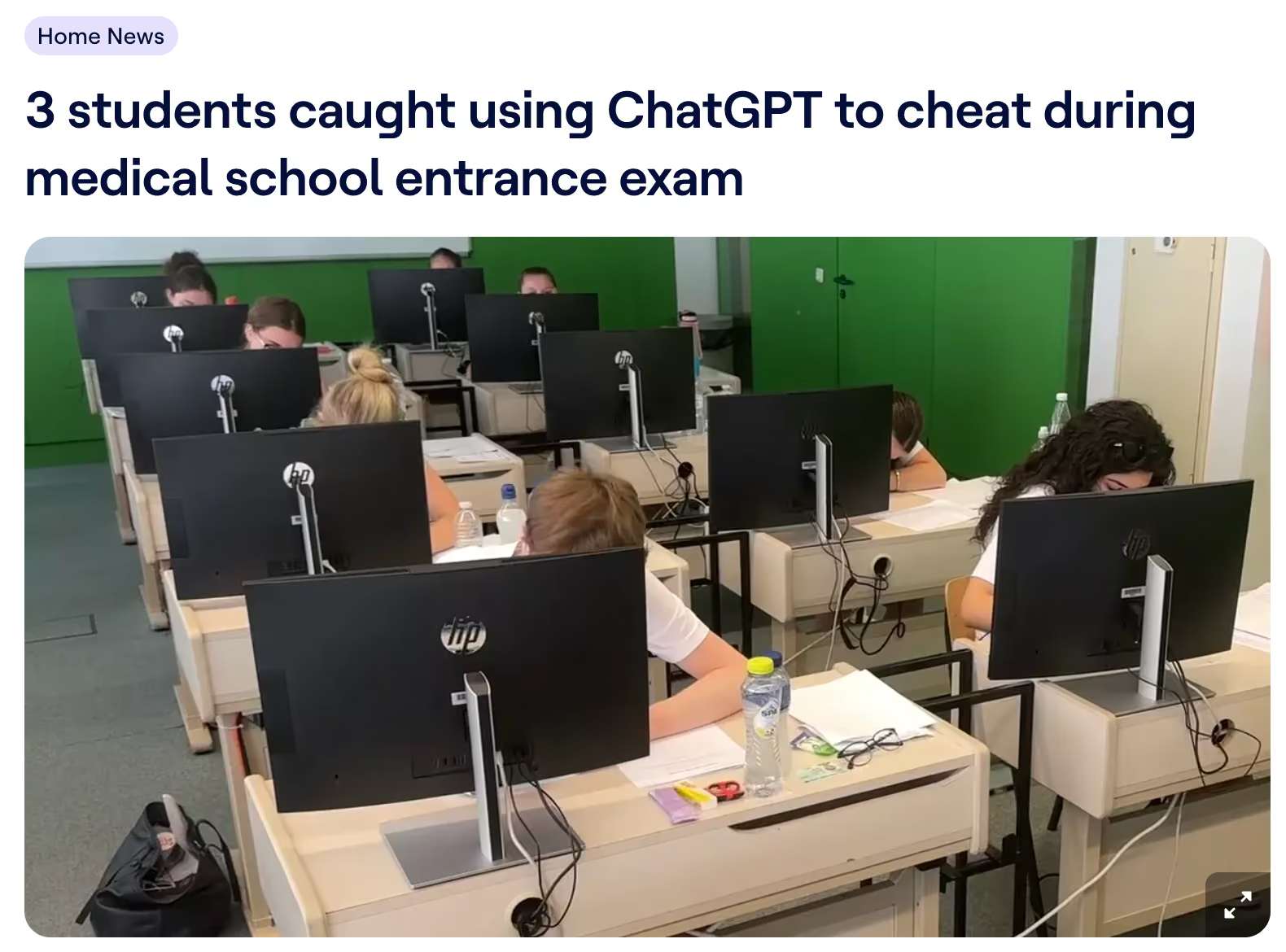
The chair of the commission admitted that, given the scale and number of locations, not all computers could be checked to ensure their settings blocked access to applications like ChatGPT, Claude or Gemini.
The problem was not that students suddenly became more dishonest. The problem was that the system allowed access.
This is the pattern we see repeatedly: large-scale digital exams, partial technical controls, heavy reliance on supervision, and just enough loopholes for AI to slip through.
This is how AI cheating typically happens in unsecured digital exams:
- A student opens ChatGPT in another browser tab
- They use AI built into applications like Microsoft Word
- They access messaging apps running quietly in the background
- They run remote desktop tools so others can run the questions through ChatGPT for them
- They activate AI overlays or browser extensions via keyboard shortcuts.
From a supervisor’s perspective, none of this is obvious. There is no whispering, passing notes, or suspicious movements.
What we can learn from these recent examples of fraud, is that AI cheating during exams is silent and fast. If the technical setup allows it, some students will gladly take the risk.
Why human supervision alone cannot prevent AI exam cheating
For decades, human supervision was the main line of defense. It worked when cheating required visible behavior: turning around, passing paper notes, checking a phone under the table.
AI-assisted cheating doesn’t look like that.
A student can generate a full answer in seconds without leaving their seat, without switching devices, and without even switching screens. In large-scale exams, even investigating suspected AI misuse becomes nearly impossible. By the time concerns arise, usable technical evidence is often fragmented or gone.
Human supervision may discourage most students, but it can't reliably stop AI fraud during exams.
Why going back to pen and paper isn’t the right long-term answer
One solution to this issue is simply pulling the plug on digital exams. Pen-and-paper exams eliminate AI-related digital cheating. If there is no device, there is no access to AI.
But the trade-off is significant.
1. You stop assessing the real skill
If students practice statistical analysis in SPSS all semester, but during the exam they must describe what they would do in SPSS instead of actually doing it, the assessment no longer reflects the learning objective. You'd be surprised how much we hear about students having to write code with pen and paper.
You are now testing theoretical recall instead of applied competence.
The same applies to:
- Learning to code in class, but writing code by hand during exams
- Practicing Excel modeling, but describing formulas in text
- Working with datasets digitally, but sketching imagined outputs
Digital skills should be assessed digitally. Otherwise, the exam becomes disconnected from the real-world skill it claims to measure.
2. You lose efficiency and scalability
Pen-and-paper exams mean:
- Hours of manual grading
- Printing, distributing, collecting, and storing stacks of paper
- Slower feedback for students
- Significant administrative work
In large institutions, this quickly becomes expensive, slow, and overwhelming. Most importantly, it pulls teachers away from what they are actually there to do: teach, mentor, and support students.
Digital exams automate grading where possible, streamline distribution, and eliminate paper handling. Instead of managing logistics, teachers can focus on designing better assessments, giving meaningful feedback, and improving learning outcomes.
Digital exams allow educators to spend more time on the parts of their job that truly matter.
3. You step backward from modern assessment
Higher education increasingly prepares students for digital workplaces. Removing digital tools such as SPSS, Excel, Word, and RStudio from assessment sends a contradictory signal: “Use modern tools to learn, but don’t use them to demonstrate competence.”
This means that the only way forward is digital exams with the right security in place to prevent AI being used by students.
How to stop AI cheating during digital exams: 5 core principles
Secure digital exams are not created by adding more supervisors or writing stricter honor codes.
They are created by controlling the environment.
1. Control the device (system-level enforcement)
When you try to secure exams through browser settings, LMS configurations, or honor codes, you’re essentially asking students to secure their own exams. You’re relying on barriers that tech-savvy students can easily circumvent.
This includes:
- Blocking unauthorized applications from launching
- Disabling risky keyboard shortcuts
- Preventing screen-sharing tools
- Detecting and blocking virtual machines
- Controlling background processes
These restrictions must operate at the operating system level, not just inside a browser tab. If a student can bypass restrictions by opening another window, the setup is not secure. Without system-level enforcement, every security measure becomes optional.
System-level enforcement is also future-proof. AI tools evolve rapidly and operating system controls remain stable. New AI capabilities don’t change how system restrictions function.
2. Use a purpose-built exam interface (not a regular browser)
Regular browsers are not designed for exam. They’re built for freedom, for multitasking, for productivity. During an exam, those features become vulnerabilities.
A standard browser, even with restrictions like full-screen mode or screen recording extensions, still allows students to open locally installed applications, run background processes, access remote desktop software, and use browser extensions with built-in AI assistants.
And here’s where it gets particularly insidious: AI-enhanced browsers like ChatGPT’s new Atlas browser have integrated AI assistants that don’t require visiting another website or installing an extension. Students can access these tools without leaving their exam environment and without triggering any obvious red flags.

That's why you need a purpose-built exam browser, which can:
- Block other applications from launching
- Disable keyboard shortcuts that might open other programs
- Detect when students are running the exam in a virtual machine
- Control internet access with surgical precision
- Monitor for suspicious activity patterns
This is about creating an exam environment that truthfully reflects the controlled conditions of a physical testing room.
3. Control internet access
Unrestricted internet access means unrestricted AI access. But many modern exams legitimately require online resources. For example, you may want your students to look up a specific news article on BBC.com for context surrounding a question.
The solution is controlled access through allowlisting:
- Educators specify exactly which websites and resources students may access
- Everything else is automatically blocked
- The security system operates at the network level, not just within the browser
- Even background applications can’t circumvent these restrictions
With this in place, students can access approved URLs without navigating to ChatGPT, Claude or Gemini. Also, all desktop applications are disconnected from the internet, which means you can't use any AI within the apps.
4. Control the file environment (workspace isolation)
Local file systems create hidden vulnerabilities. If students can access their file explorer, they may reach personal notes, pre-written answers, synced cloud folders, or cached documents.
But students need to work with files during exams. They need to download exam materials, upload their answers, perhaps work with datasets or documents. How do you reconcile this need with security?
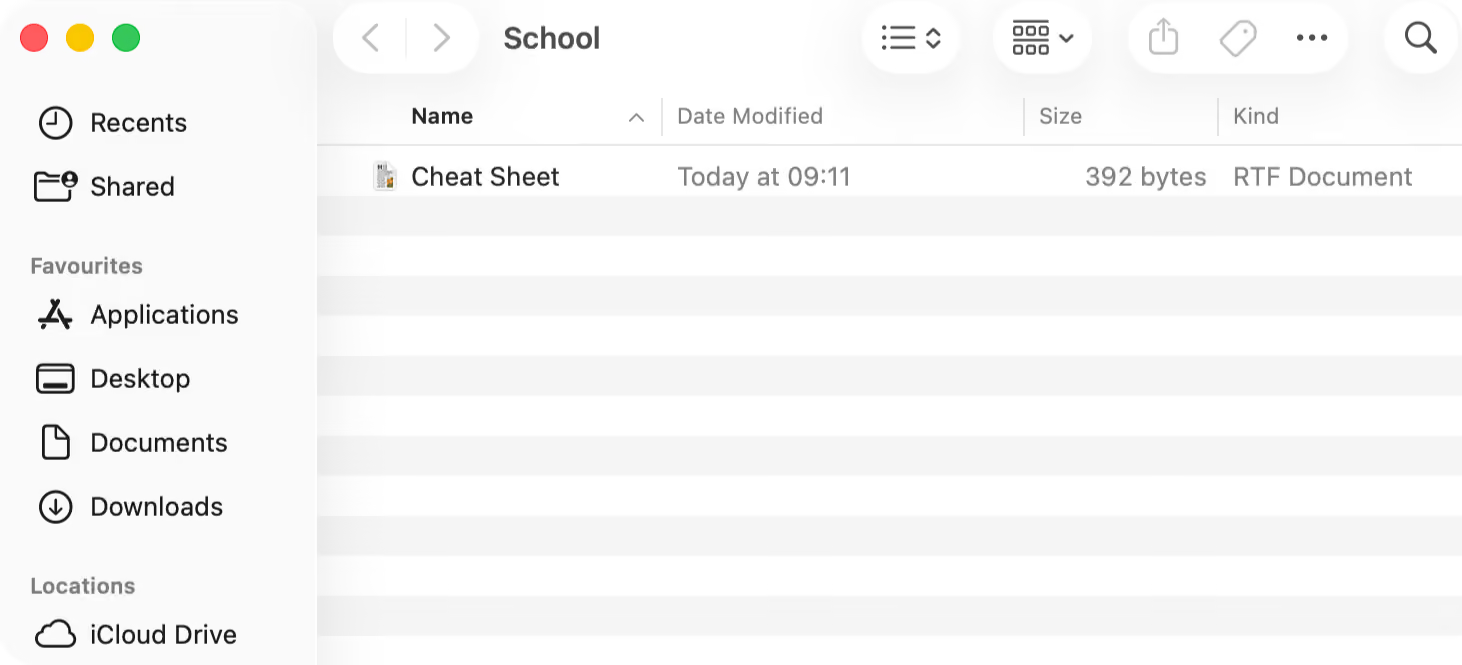
The answer is file isolation. Files should live in a secure workspace that:
- Exists only for the duration of the exam
- Contains only the materials the educator provides
- Cannot access the student’s personal file system
- Stores student work in a controlled environment
- Automatically disappears after the exam ends
This approach maintains the functionality students need while eliminating the security risks of local file access.
5. Control the applications (virtualization)
Many institutions want to assess real-world skills by letting students take exams in desktop applications. But these applications often contain loopholes:
- Built-in AI assistants like Co-Pilot
- Cloud storage connections
- Access to local file systems
There are also practical problems that affect every exam administration. Different software versions across student devices create inconsistent experiences, making it unclear whether students are working with the same tools and capabilities.
The best way to fix this is with virtualization. Virtualization allows institutions to:
- Apply specific restrictions to each application
- Ensure every student uses the same software version
- Provide consistent performance regardless of device capabilities
- Control file access within the application
- Disable built-in AI assistants and other risky features
This doesn’t mean students need high-end computers. The processing happens in the cloud, and the interface streams to their device. A student with a basic laptop has the same experience as one with a powerful laptop.
How Schoolyear prevents AI cheating during digital exams
Schoolyear’s Safe Exam Workspace is built around prevention through architecture. It integrates with your test platform to add a layer of security that prevents student from cheating with AI. When an exam starts, the student’s device (managed or BYOD) enters a secure exam mode.
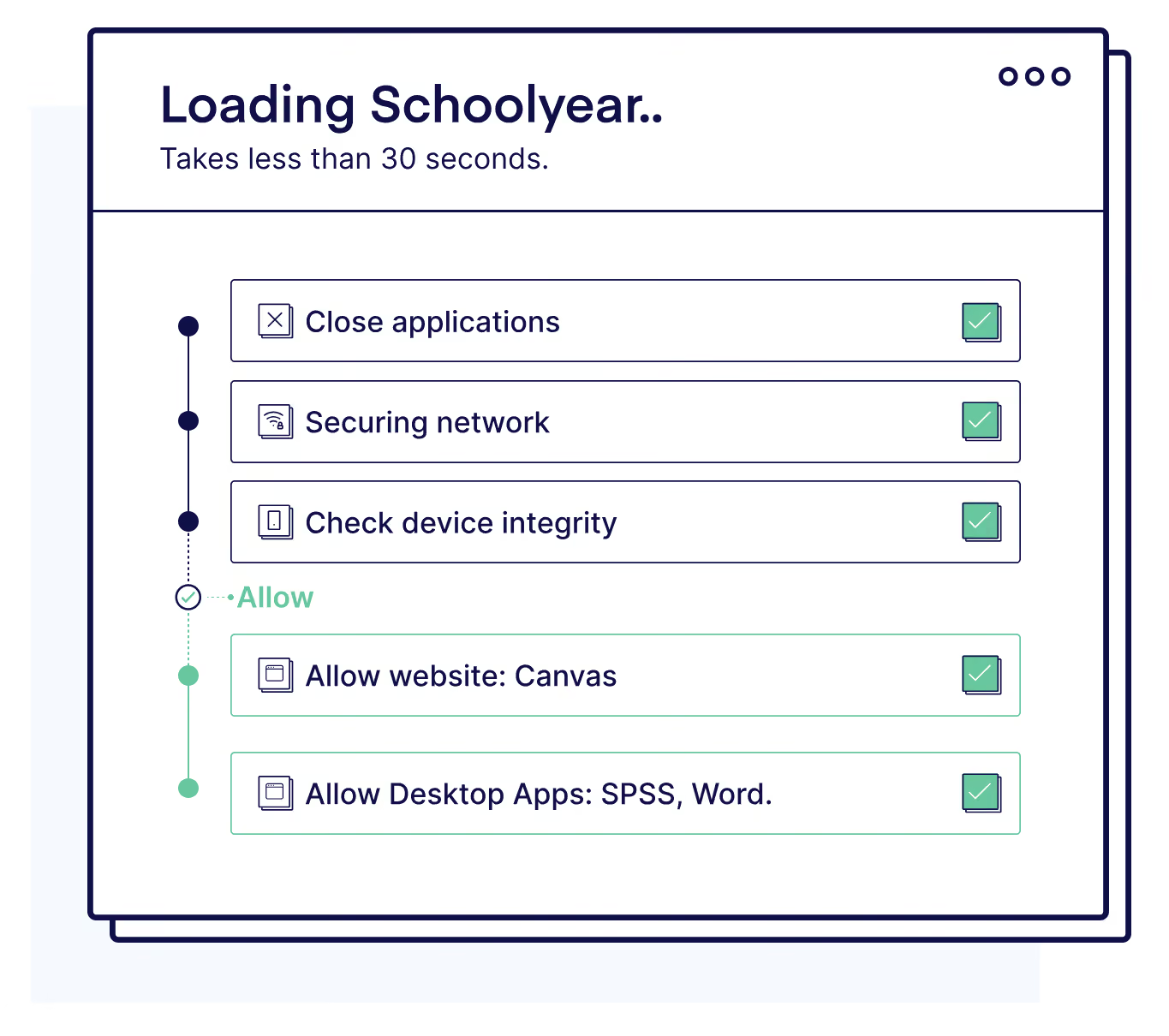
When Schoolyear is integrated with your exam platform:
- Unauthorized applications cannot launch
- Screen sharing and remote desktop tools are blocked
- Virtual machines are detected and prevented
- Risky system shortcuts are disabled
Educators decide which websites or specific pages can be visited during the exam by whitelisting them. All other websites, such as ChatGPT or Claude, are blocked by default. They can also grant students access to predetermined files, without giving them access to their personal files, synced cloud folders, or local storage.
You can also safely conduct exams in any desktop application, such as:
- Word
- Excel
- SPSS
- MATLAB
- RStudio
The desktop applications will run in a secure virtual environment where all AI features are disabled, file access is restricted and every student gets to use the exact same configuration.
With Schoolyear, security is enforced through system design rather than constant monitoring. Honest students experience a normal exam flow, and the boundaries only become visible when someone attempts to step outside them. There is no screen recording or behavioral surveillance.
At the same time, we continuously verify that the prevention mechanisms are functioning as intended. If the secure exam workspace is compromised — for example, by attempted to being launched inside a virtual machine — the system flags the device as insecure. It doesn't immediately label or accuse the student of cheating.
Don't give up on digital exams
With the fast rise of AI, conducting on-campus exams is the only way to protect academic integrity. The good news is that you don't have to go back to pen and paper.
Because AI didn’t make digital exams impossible, it exposed weak setups. Institutions now face a clear decision: return to paper, or build digital exams properly.
Schoolyear offers a secure, controlled exam workspace that allows for digital examination while eliminating the possibility for students to access AI.
→ Want to learn more about Schoolyear's Safe Exam Workspace? Schedule a demo.


