
Solutions
Assessment delivery

Assessment types
Integrations
Moodle's quiz settings can't stop an AI-powered browser extension from reading each question and filling in the answer. Schoolyear secures the whole device, so students only reach your quiz and the resources you add.
.webp)


"With Schoolyear, students can use bookkeeping software, visit the exam site, open and fill in an Excel file, and then write a report about it in Word. All in a secured session, without access to AI or outside resources."

.jpeg)


"The teachers are satisfied with the BYOD setup for their Moodle exams. Schoolyear saves us money in the sense that we do not have to have so many computer rooms anymore."

"With Schoolyear, students can use a desktop application during an exam and we can make it AI-proof. This way, we can assess if students have the necessary knowledge themselves."





"We had cases with our previous proctoring setup where we needed to look into whether we were dealing with a cheating case or not. The moment that you're conducting exams in Schoolyear, that is reduced heavily. This is saving us a lot of time."




"We can secure exams proactively instead of after the fact. This creates calm for students, clarity for teachers, and less hassle with the e-invigilators you no longer need."



"Schoolyear makes it possible to do skills assessments with the use of extra applications, like Rstudio, Excel and Matlab. Before, this was only possible with managed computers."

"We wanted to introduce safe and robust digital testing on campus. However, no combination of exam rooms had 800+ computers available at the same time. Schoolyear was the perfect and robust solution that we were looking for, as this allowed us to use the laptops of the students in regular exam rooms."


"We sought a flexible solution for fraud prevention during exams on students' own laptops. Schoolyear allows us to use our educational spaces more flexibly and reduce the need for fixed PC rooms."



"Before the introduction of the Schoolyear, lots of eyes were needed to make sure students didn’t use search engines, chat apps, notes, or email."




Tailor-made cheating extensions such as MoodleGPT read each question and fill in the answer, without the student ever leaving the quiz.
In AI browsers like Atlas and Comet, a built-in assistant reads the quiz page and suggests answers, or completes the quiz on its own.
Moodle logs answers, timestamps and IP addresses. Switching to another tab or app leaves no trace in those logs.
Teachers turn on Schoolyear in the same Moodle quiz settings they already use. Students start the quiz from Moodle as usual.
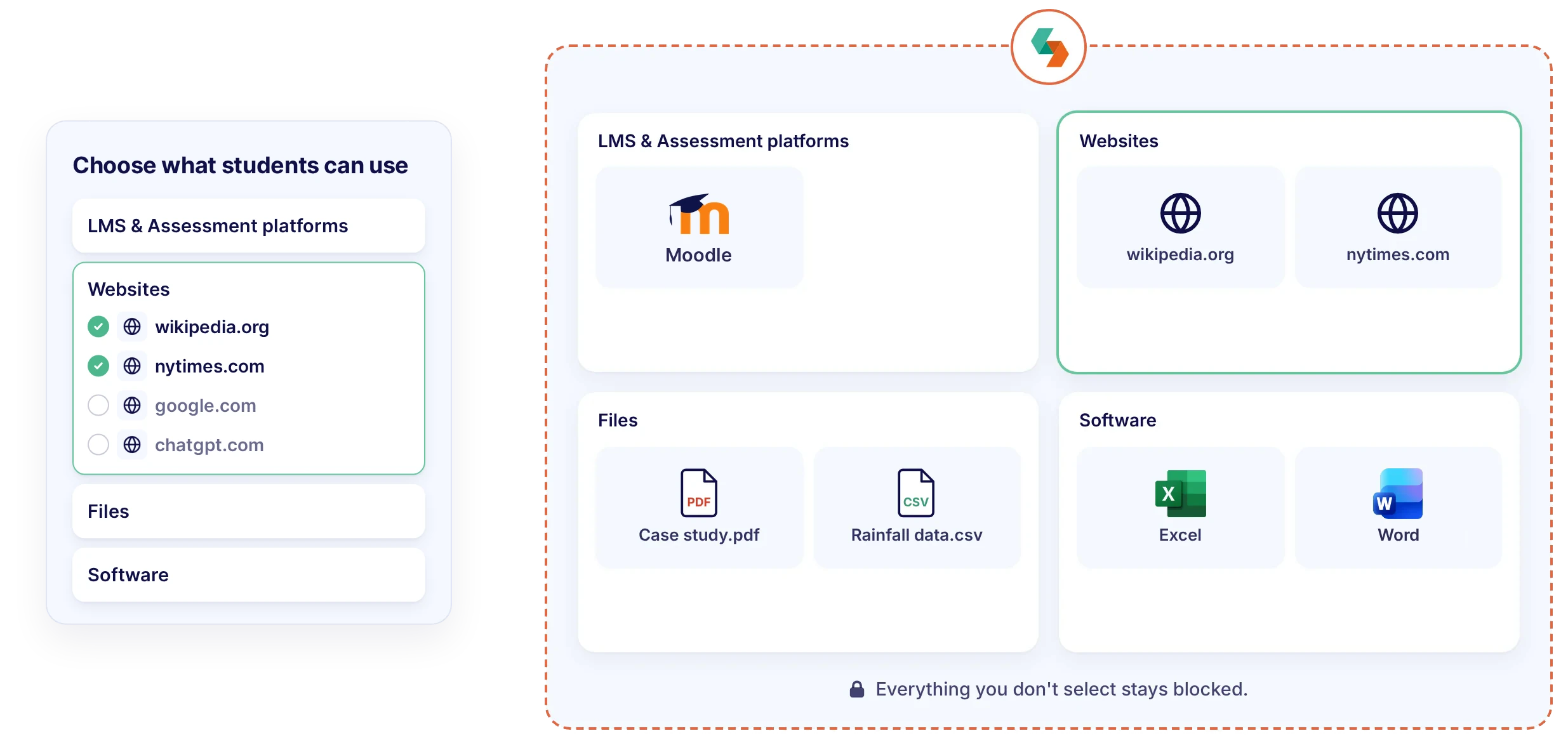
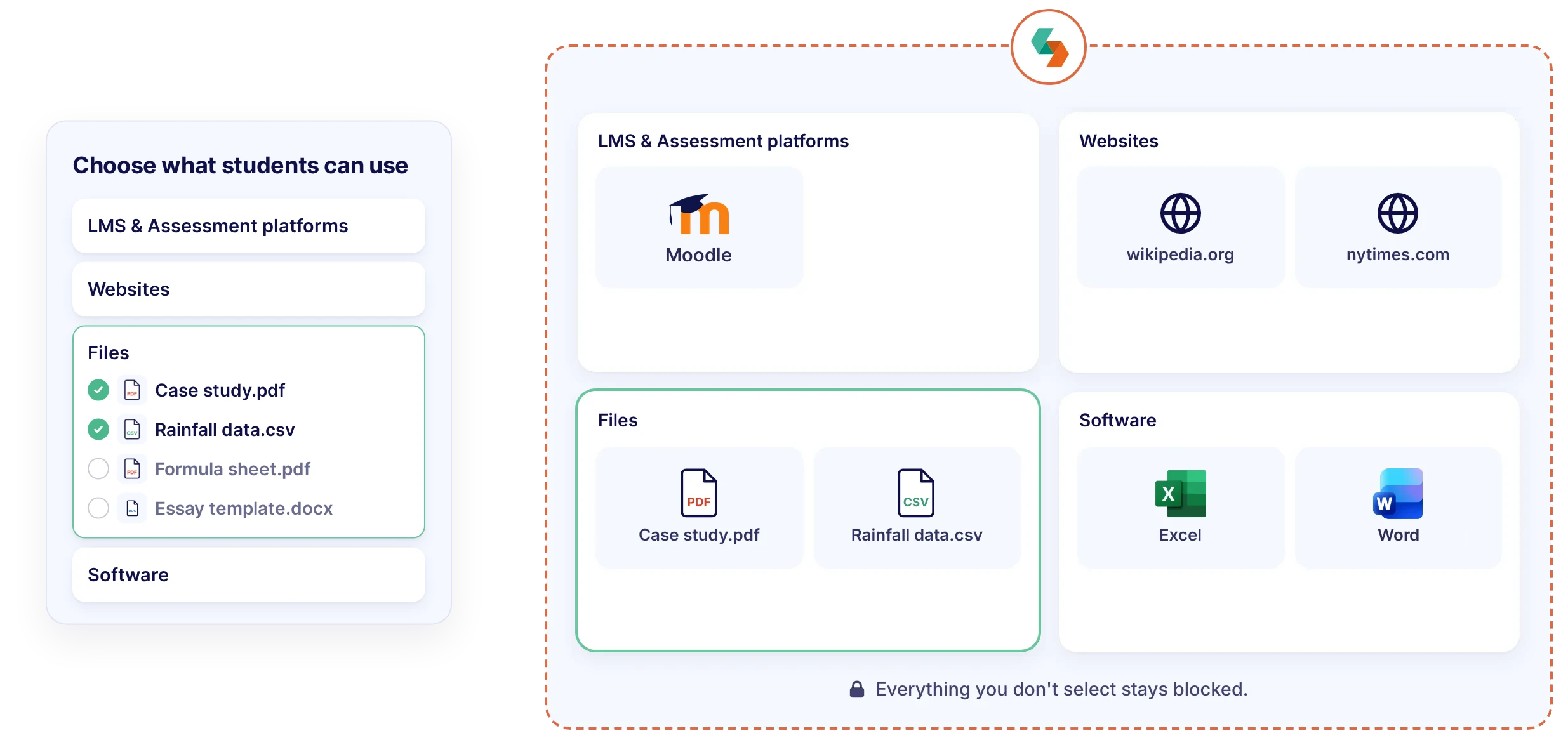
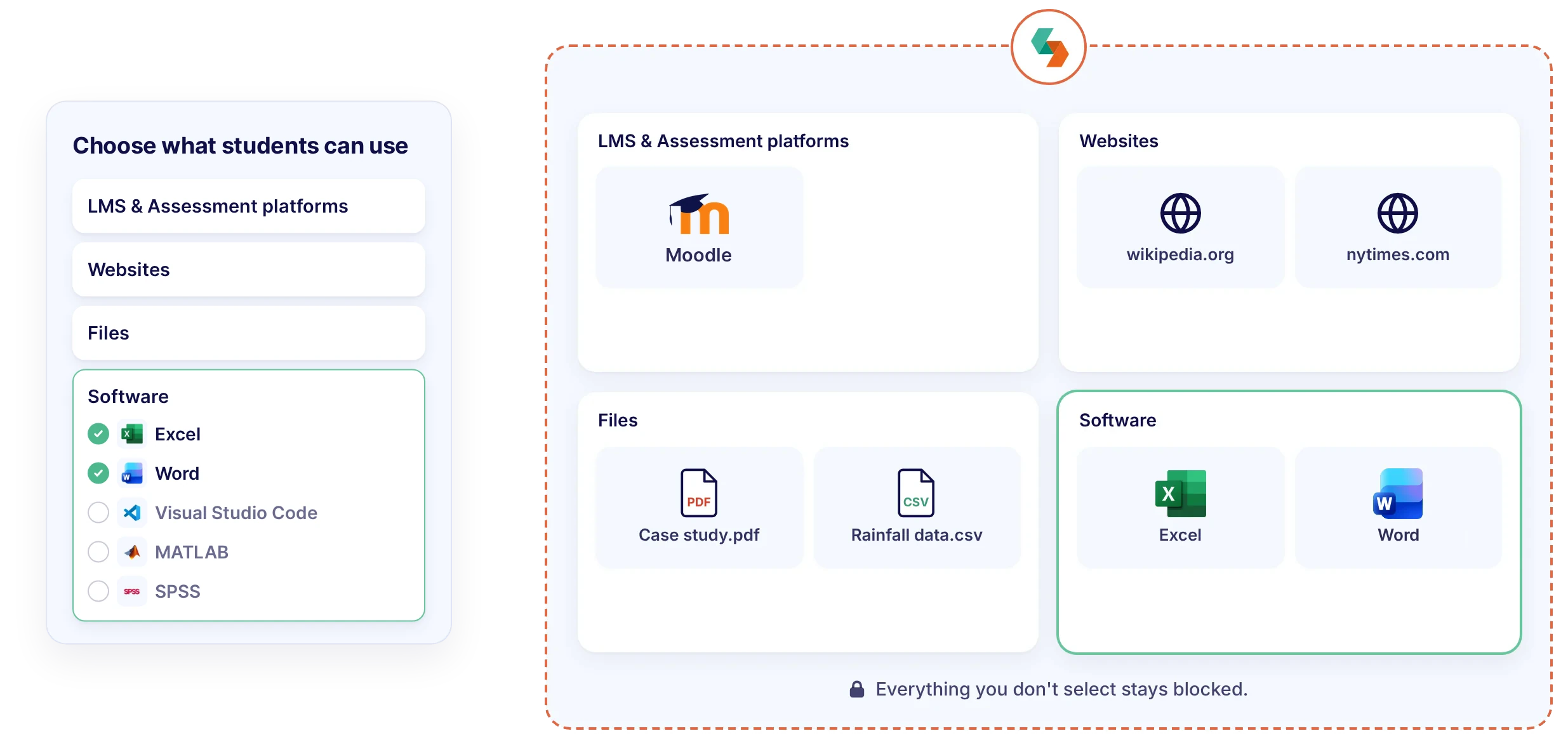
Add the websites, files and apps the Moodle quiz needs. AI, answer extensions, other apps and personal files can't be opened.
The dashboard shows whether each student's lockdown is intact, and flags security incidents to invigilators as they happen.
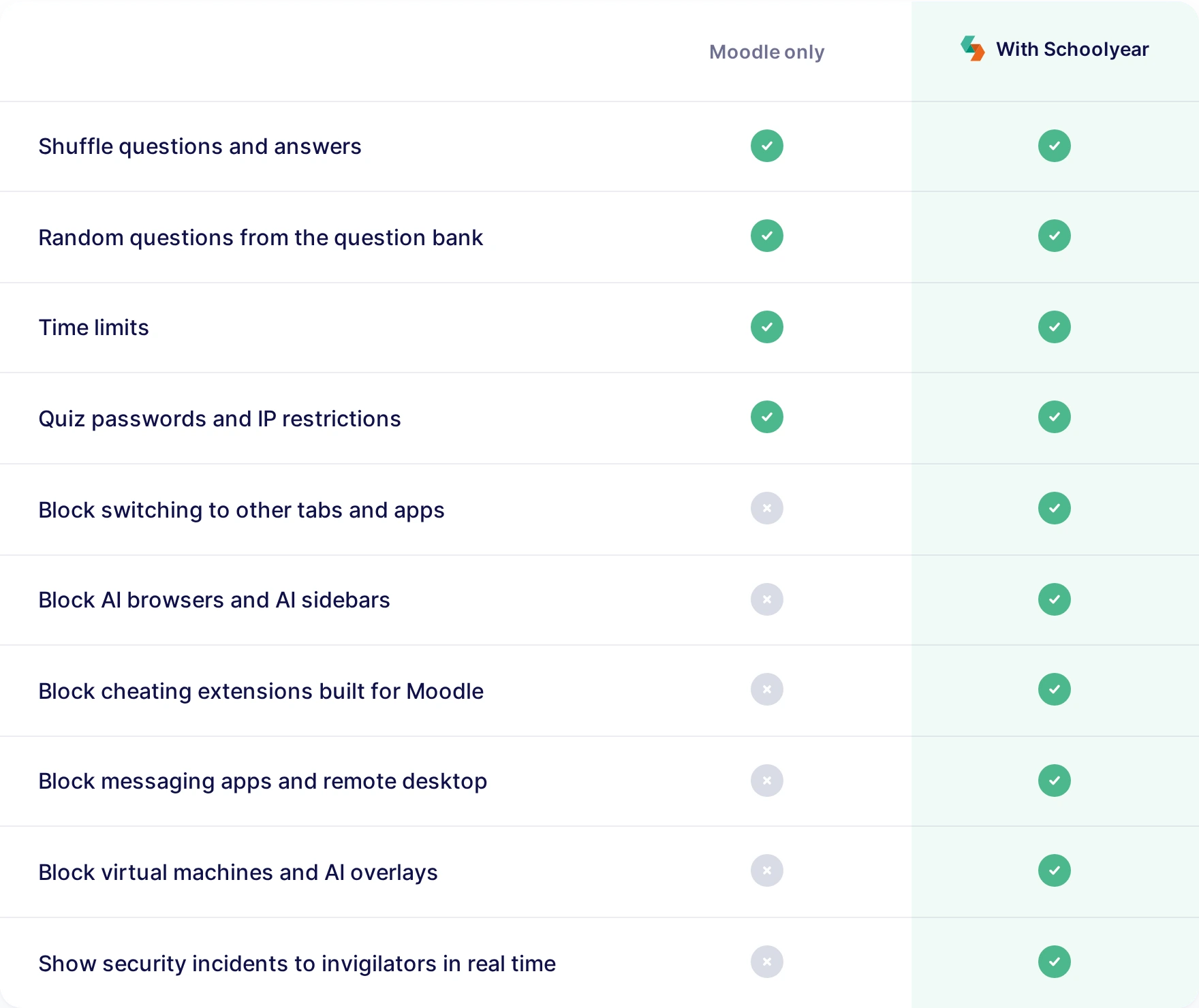
A quiz password, IP restrictions and Moodle's full-screen pop-up decide who can open the quiz and how it's shown. They don't control what else runs on the laptop. Schoolyear locks down the device itself, so AI, chat apps and extensions stay closed for the whole quiz.
.webp)
Your Moodle admin installs the Schoolyear plugin once. After that, teachers switch on Schoolyear in the quiz settings and add what students may use. Students install the Schoolyear app once and start the quiz from Moodle.
.webp)
Keep using shuffled questions, random questions and time limits. They make answers harder to share, but they can't stop a student from asking AI on the same laptop.
Let students answer in Moodle while they work in Excel, Word, MATLAB or RStudio, or consult the websites and files you add. Nothing else on the laptop can be opened.


.webp)

.webp)
.webp)
.webp)
That depends on your learning outcomes. Block AI when students must work on their own, or allow supervised AI when working with AI is part of the skill.

To assess what students can do on their own
.svg)
To assess how students work with AI
Allow support tools such as spellcheck, text-to-speech and screen magnification, so students can demonstrate their skills within a controlled assessment environment.
.svg)
To assess what students can do on their own
.svg)
To assess what students can do on their own
.svg)
To assess what students can do on their own
"With Schoolyear, students can use a desktop application during an exam and we can make it AI-proof. This way, we can assess if students have the necessary knowledge themselves."

"We sought a flexible solution for fraud prevention during exams on students' own laptops. Schoolyear allows us to use our educational spaces more flexibly and reduce the need for fixed PC rooms."
.jpg)
"We wanted to introduce safe and robust digital testing on campus. However, no combination of exam rooms had 800+ computers available at the same time. Schoolyear was the perfect and robust solution that we were looking for, as this allowed us to use the laptops of the students in regular exam rooms."


When AI is built into browsers, apps, and operating systems, a traditional lockdown browser is no longer enough. Schoolyear uses five security layers to keep assessments open to the tools you allow and closed to everything else.

Schoolyear replaces the student's desktop before the assessment starts. AI overlays, messaging apps, screen sharing, remote access: blocked, not detected afterwards.
Assessments run in a clean, purpose-built environment that students can’t customize, extend or bypass with browser tricks. The assessment never runs in the environment the student controls.
Applications and files used during the assessment don’t run locally on the student’s device. They’re isolated from personal storage, cloud drives and local AI features.
When a restriction is triggered or a bypass is attempted, it’s logged and signalled in real time. You can always see whether the lockdown is intact, during the assessment and afterwards.
Bypass techniques keep evolving, so Schoolyear’s security is updated as soon as new ones emerge. Updates are deployed automatically, with no action needed from students or educators.


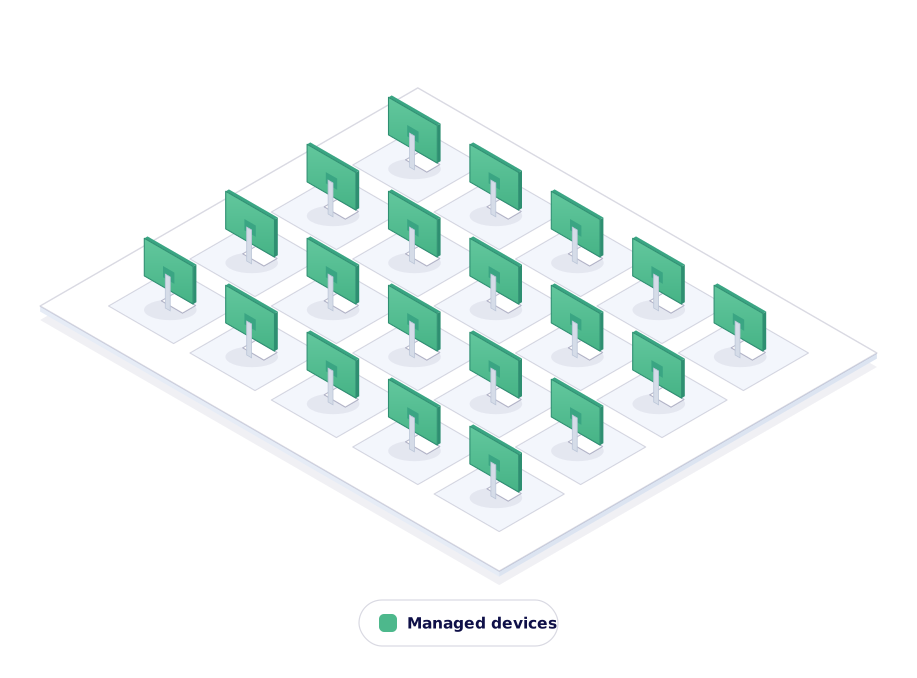
Run exams on any school-managed device without the exam infrastructure you maintain today. No shared accounts or GPOs.
Turn any student laptop into a secure assessment seat. Students run a laptop check before exam day, so issues surface early, not on the day itself.
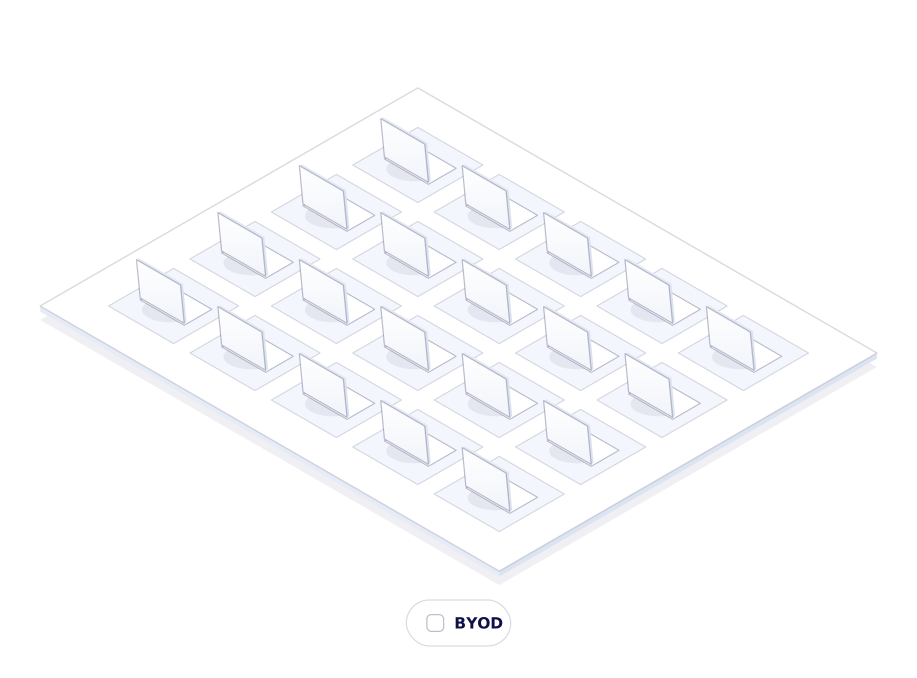
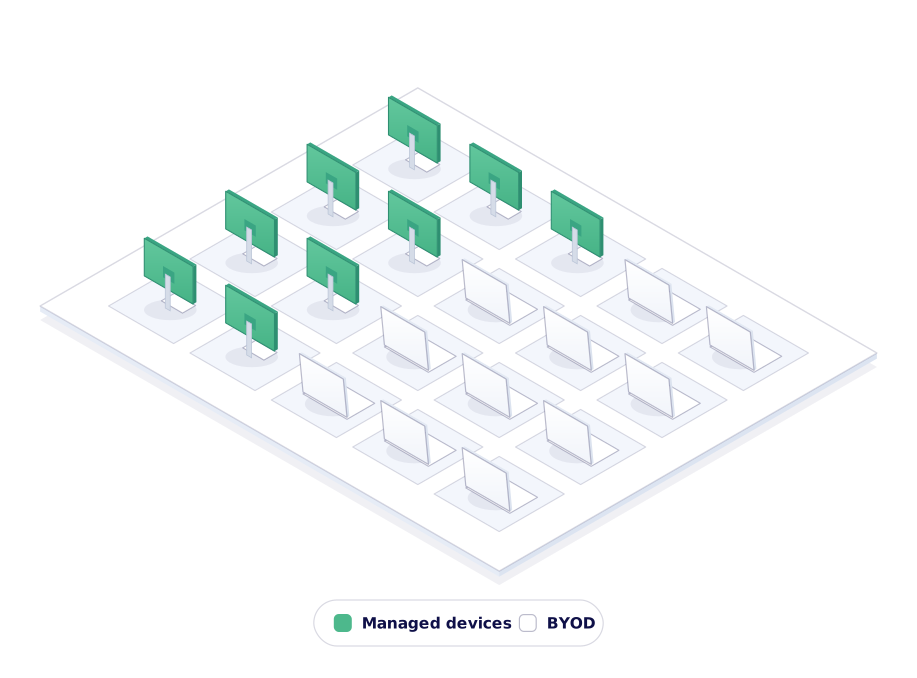
Mix managed and student-owned devices in a single session. Same assessment, same security, one dashboard.
We secure the assessment by locking down the device, not by filming the student or their screen. Nothing is recorded, so there is no footage to store, review or leak.

Anything outside the whitelist is blocked at system level. Cheating is stopped the moment it's tried, not spotted on a recording afterwards.

Students are not filmed or analyzed while they work. Less stress during the assessment, and no arguments afterwards about what a recording showed.
"With Schoolyear, the involvement of IT and related costs of overhead now has been reduced to almost nothing. Our teachers are back in control of their secure digital exams."

"With Schoolyear, students can use bookkeeping software, visit the exam site, open and fill in an Excel file, and then write a report about it in Word. All in a secured session, without access to AI or outside resources."
"Schoolyear makes it possible to do skills assessments with the use of extra applications, like Rstudio, Excel and Matlab. Before, this was only possible with managed computers."
Our experts are ready to help you explore
the benefits of Schoolyear.