
Solutions
Assessment delivery

Assessment types
Integrations
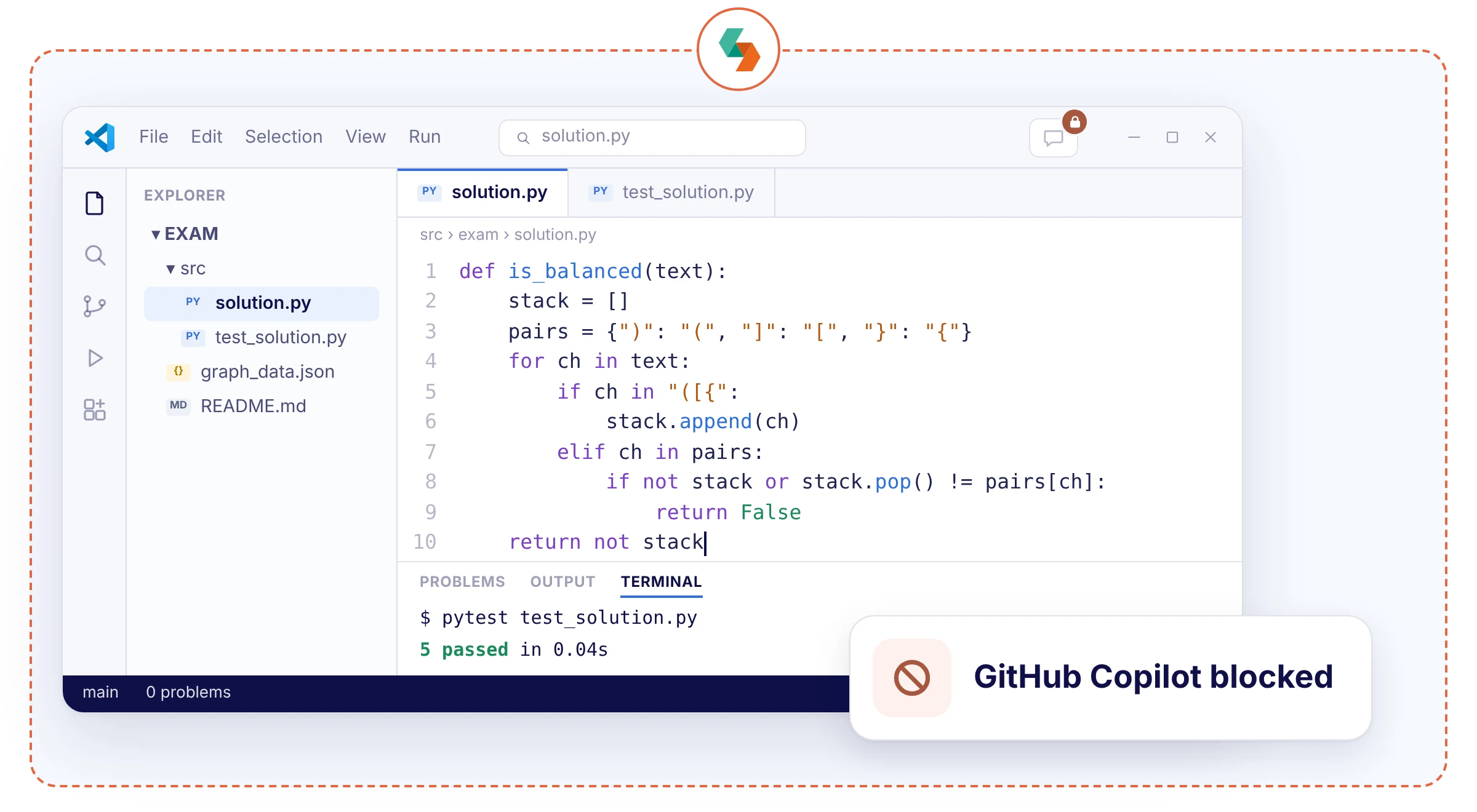
Let students take assessments in the real Visual Studio Code on their own laptops. Writing, running and testing code works as usual, while Copilot, AI extensions and Live Share stay out of reach.


"With Schoolyear, students can use bookkeeping software, visit the exam site, open and fill in an Excel file, and then write a report about it in Word. All in a secured session, without access to AI or outside resources."




"The teachers are satisfied with the BYOD setup for their Moodle exams. Schoolyear saves us money in the sense that we do not have to have so many computer rooms anymore."

"With Schoolyear, students can use a desktop application during an exam and we can make it AI-proof. This way, we can assess if students have the necessary knowledge themselves."





"We had cases with our previous proctoring setup where we needed to look into whether we were dealing with a cheating case or not. The moment that you're conducting exams in Schoolyear, that is reduced heavily. This is saving us a lot of time."




"We can secure exams proactively instead of after the fact. This creates calm for students, clarity for teachers, and less hassle with the e-invigilators you no longer need."



"Schoolyear makes it possible to do skills assessments with the use of extra applications, like Rstudio, Excel and Matlab. Before, this was only possible with managed computers."
"We wanted to introduce safe and robust digital testing on campus. However, no combination of exam rooms had 800+ computers available at the same time. Schoolyear was the perfect and robust solution that we were looking for, as this allowed us to use the laptops of the students in regular exam rooms."


"We sought a flexible solution for fraud prevention during exams on students' own laptops. Schoolyear allows us to use our educational spaces more flexibly and reduce the need for fixed PC rooms."



"Before the introduction of the Schoolyear, lots of eyes were needed to make sure students didn’t use search engines, chat apps, notes, or email."



Copilot writes code from a prompt, and AI extensions and agents in the terminal can do the same.
Students can install any extension in a click, or pull in packages from the terminal with pip or npm.
With Live Share, someone outside the room can edit along, or a student connects to another computer.
In Schoolyear, students can’t reach Copilot or other AI tools unless you add them.
You decide which extensions, packages and files are available. Students can’t add anything themselves.
Live Share and remote connections can’t get through. Only the websites you add can be reached.
During the assessment, GitHub Copilot, AI extensions and agents in the terminal are out of reach. Does your course need a specific extension or package? Your institution can add it to the workspace before the assessment starts.

Give students the starter code, tests, data and assignment they need, plus the language documentation, all ready in VS Code. Repositories and files on their own laptop stay out of reach, and your assessment content never leaves the workspace.

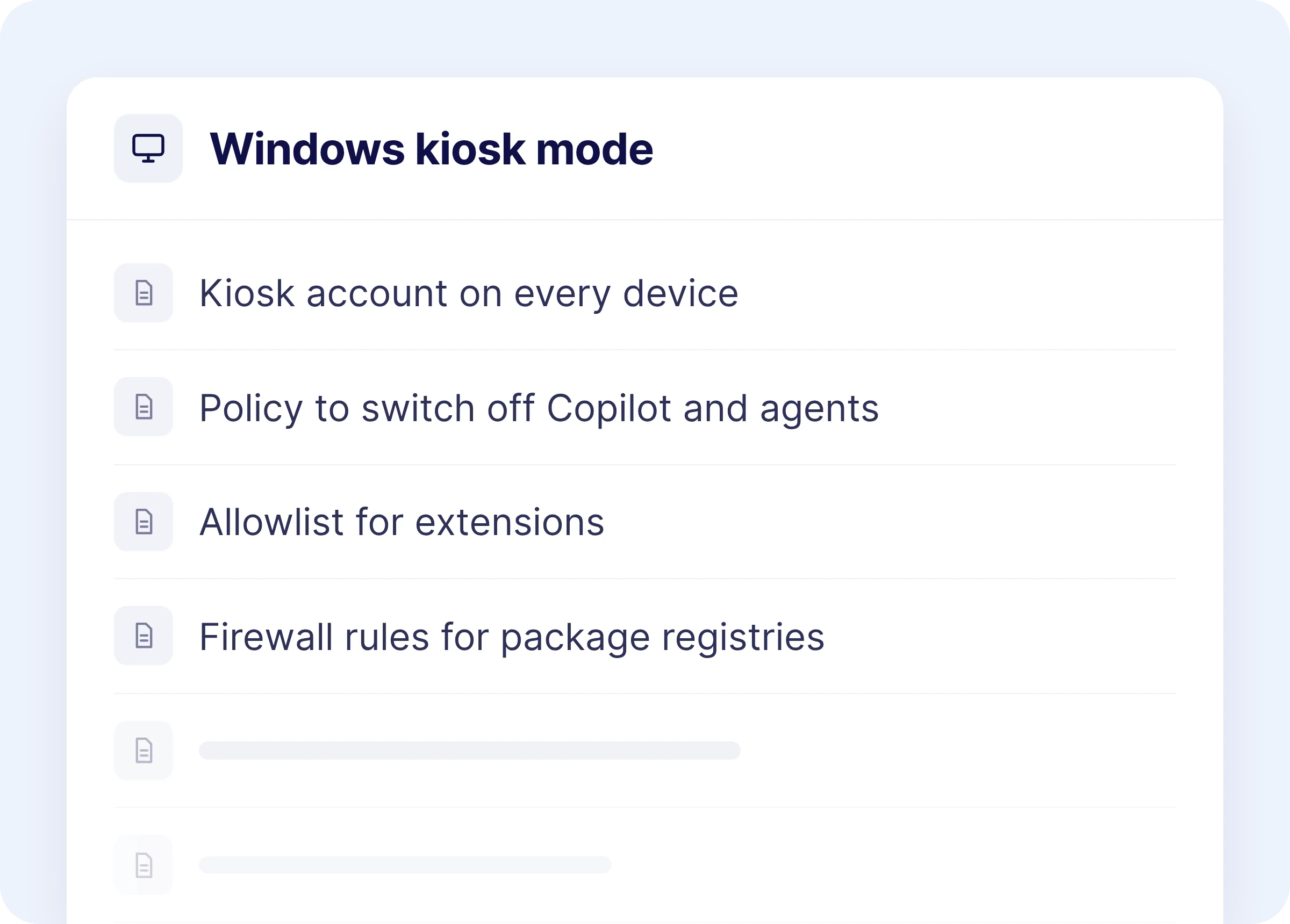
Doing it with kiosk mode means an allowlist for extensions, policies for Copilot and agent mode, and firewall rules for every package registry. IT has to build and maintain all of that, and gets the blame when a student still reaches AI. With Schoolyear, teachers set up each assessment themselves, even on students’ own laptops.

Implement an algorithm, debug an existing program, or finish a project until all tests pass.

Build a small web page or API from the starter files and make the provided tests pass.

Prepare a dataset, train a machine learning model and evaluate how well it performs.

Write and debug functions, loops and vectorised code for an engineering problem.
"With Schoolyear, students can use a desktop application during an exam and we can make it AI-proof. This way, we can assess if students have the necessary knowledge themselves."


When AI is built into browsers, apps, and operating systems, a traditional lockdown browser is no longer enough. Schoolyear uses five security layers to keep assessments open to the tools you allow and closed to everything else.

Schoolyear replaces the student's desktop before the assessment starts. AI overlays, messaging apps, screen sharing, remote access: blocked, not detected afterwards.
Assessments run in a clean, purpose-built environment that students can’t customize, extend or bypass with browser tricks. The assessment never runs in the environment the student controls.
Applications and files used during the assessment don’t run locally on the student’s device. They’re isolated from personal storage, cloud drives and local AI features.
When a restriction is triggered or a bypass is attempted, it’s logged and signalled in real time. You can always see whether the lockdown is intact, during the assessment and afterwards.
Bypass techniques keep evolving, so Schoolyear’s security is updated as soon as new ones emerge. Updates are deployed automatically, with no action needed from students or educators.


Our experts are ready to help you explore
the benefits of Schoolyear.