.avif)


Many institutions are moving away from exams on school-managed computers and toward Bring Your Own Device (BYOD) exams: students sitting exams on their own laptops. It’s easy to see why. Fewer machines to buy and maintain, less IT setup before every session, and no hard ceiling on how many students you can examine at once.
But switching to BYOD is not just a logistics decision; it comes with real security considerations. Because when a student's personal laptop is not under your institution's control, how do you prevent them from cheating? It also comes with practical ones: for instance, how do you handle a student who shows up with the wrong device on exam day?
This article covers the security and operational challenges of BYOD exams and how to tackle them.
In this article:
- The benefits driving the switch to BYOD exams
- The security and practical challenges that come with it
- What a secure BYOD exam framework looks like
- How to address the practical challenges
- What to include in a BYOD exam policy
- How to plan the transition from managed computers to BYOD
TL;DR
- Conducting exams on student-owned devices offers real benefits, but also introduces a variety security and logistical challenges.
- Effective BYOD security requires security at the operating system level, continuous verification that the lockdown is intact, and a vendor actively patching new bypass methods.
- A clear BYOD policy is key to avoid technical issues on exam day.
- If you are currently running exams on managed school computers, you do not have to switch all at once. A phased approach, starting with a uniform security solution for both BYOD and managed computers, is the most practical path.
Why institutions are switching from managed devices to BYOD
The shift to BYOD is driven by three different pressures.
Hardware costs and depreciation
Computer labs are expensive to run. Devices need to be purchased, kept in working order, and eventually written off. Laptop carts require charging infrastructure and in many cases fire-safe storage rooms. When students bring their own laptops, those costs shift away from the institution. At scale, across multiple faculties, savings are significant.
IT dependence and overhead
In a computer lab with devices owned and managed by the school, faculty often cannot organize a digital exam without IT involvement. In most cases, IT creates shared exam accounts: stripped-down Windows environments where a portion of potential cheating routes are blocked. Before an exam, every device is manually set to exam mode. Because this process is time-consuming, educators often must request exams a month beforehand, leaving little to no room for flexibility when they want to add an extra source or question later.
With BYOD, that dependency largely disappears. With the right combination of an assessment platform and device lockdown software, teachers can easily configure their own exams. Students arrive with their own devices, already set up with the right software, and the IT team's role concentrates around setting the right requirements and potentially troubleshooting on exam day.
Scalability beyond lab capacity
A computer lab has a fixed number of seats. Scaling digital exams with managed hardware means either building extra computer labs or acquiring more laptop carts. Neither options are cheap, and for many institutions they are simply not feasible at the scale needed.
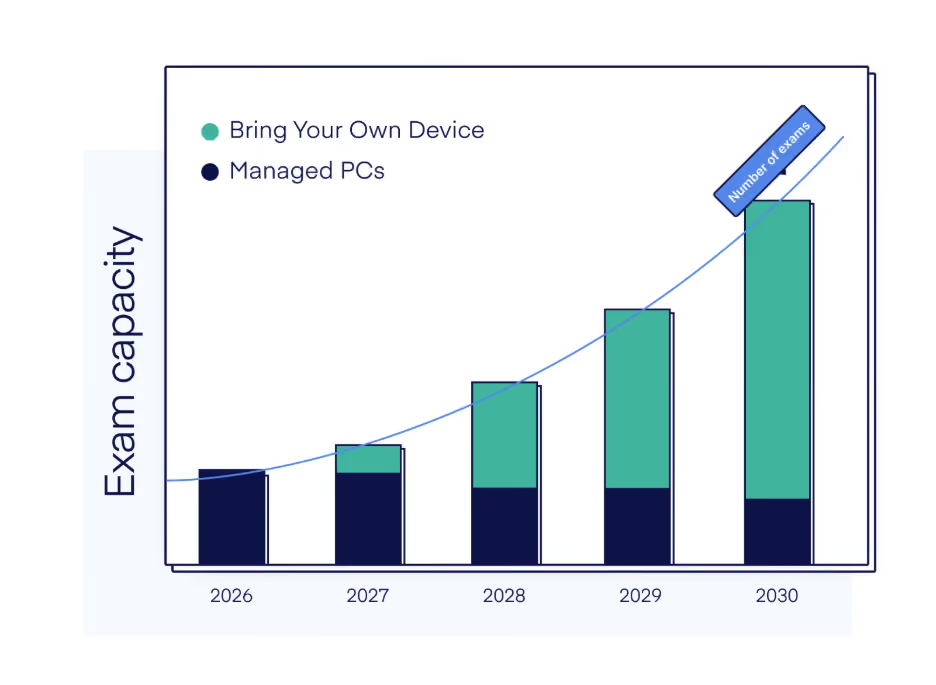
BYOD makes scaling digital exams much easier. Exams can take place in any room large enough to seat the cohort. Lecture halls, seminar rooms, external venues: all become viable exam locations. For institutions where enrollment is growing, or where exam scheduling is constrained by lab availability, this is often the strongest argument for making the switch.
There is a student experience benefit worth noting alongside these operational gains. Students sitting exams on their own devices have their familiar keyboard shortcuts, display settings, and accessibility tools already configured. For students who rely on assistive technology, that continuity can make a difference to how fairly they are assessed.
The challenges of BYOD exams
Switching to BYOD comes with two categories of challenge: security and practical. Both need to be addressed.
Security challenges
IT has no control over the device
On a school-managed machine, your IT team controls the OS version, the installed applications, and network configuration. On a student's personal device, none of that applies. IT is not the administrator of the device, so IT has no control over which OS version a student is running or what is installed alongside the exam software.
The result is that a student has access to the internet, AI tools like ChatGPT or Copilot, and personal files on the same machine they are taking the exam on. That's why BYOD exams require a strong device lockdown solution.
Possible operational fraud
A student leaves the room without closing their laptop and continues working on the exam from outside. A student shares exam login credentials so someone else submits remotely. An exam password leaks before the session window closes. None of these require technical sophistication. On a managed machine in a dedicated lab with a fixed IP range, remote access is simply impossible. On a BYOD device, you need operational procedures to compensate for what the hardware cannot enforce.
Monitoring does not work
The instinct when faced with exam security challenges is often to add monitoring: live proctors, webcam recording, screen recording, and so on. These approaches have serious structural limits. For one, monitoring shifts the burden to after the fact: you detect potential cheating, then have to prove it in front of an exam committee, often with incomplete evidence. For large scale exams, this often means you have to watch hours of recordings of possible cheating after the fact. Aside from that, monitoring solutions can often easily be circumvented with virtual machines and other sorts of bypasses.
There is also a practical reason to avoid monitoring for in-person exams. Recording and uploading video from a room of 200 students requires significant bandwidth that most exam venues simply do not have. A prevention-first approach sidesteps this entirely.
Practical challenges
Responsibility shifts to the student
On managed school computers, IT owns the device and is accountable when something does not work. With BYOD, the device belongs to the student, which means the responsibility for having a working, compatible device on exam day belongs to the student too. However, as institutions are responsible for facilitating exams, they also have to take care of offering backup devices when a student device somehow does not function on exam day. Where the institution’s responsibility ends and the student’s responsibility starts is something you have to consider and communicate clearly.
Technical difficulties with student-owned devices
Even with a well-designed setup, something will go wrong in an exam hall full of student-owned devices. A device does not meet the minimum requirements. The exam software fails to launch. A student fails to connect to Wi-Fi. These issues are rare on average, but across a room of 200 students, they happen.
How to secure BYOD exams: the framework
BYOD exams come with great rewards once you overcome the security challenges. The right approach to organizing BYOD exams combines a sound technical security setup with good practical preparation.
We’ll first discuss the security aspect.
1. OS-level lockdown
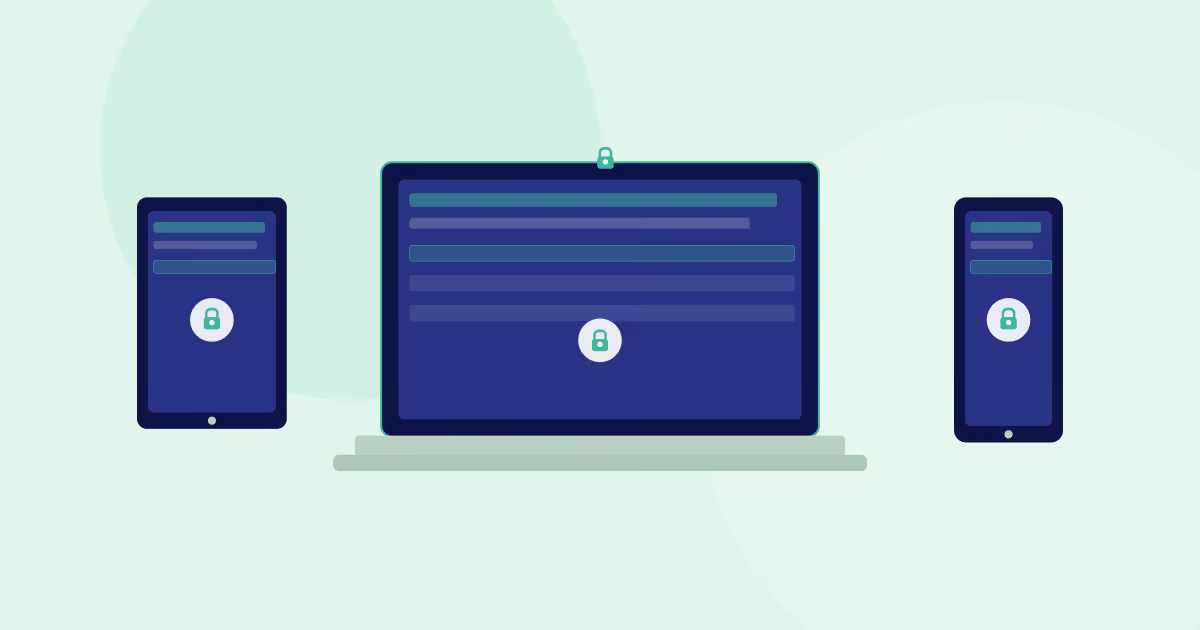
A secure exam environment needs to lock down the student device at operating system level, not just restrict what is visible in a browser window. That means cutting off background processes, blocking access to the file system, and disabling network access to everything except explicitly whitelisted destinations. Anything less leaves the door open to bypasses running outside the browser.
An exam security platform like Schoolyear locks down student devices at system level rather than just in the browser. Background processes, network access, and local file access are all controlled during the exam session.
2. Continuous verification that the lockdown is working
Locking down a device at the start of an exam is not enough. You need continuous confirmation that the secure environment remains intact. If the lockdown is tampered with by students who try to use a bypass, invigilators need to receive an immediate alert, not only a log entry after the fact.
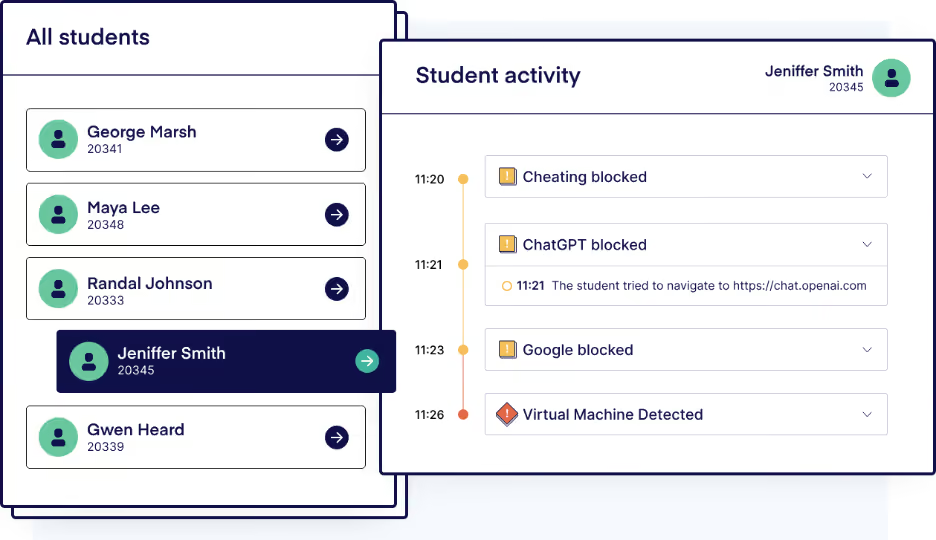
A real-time dashboard that shows the status of every device in the room, including battery level, connection state, and security events, is part of the necessary security architecture. When something does go wrong, you know exactly which student is affected and what the problem is.
3. Never run applications on the student's device
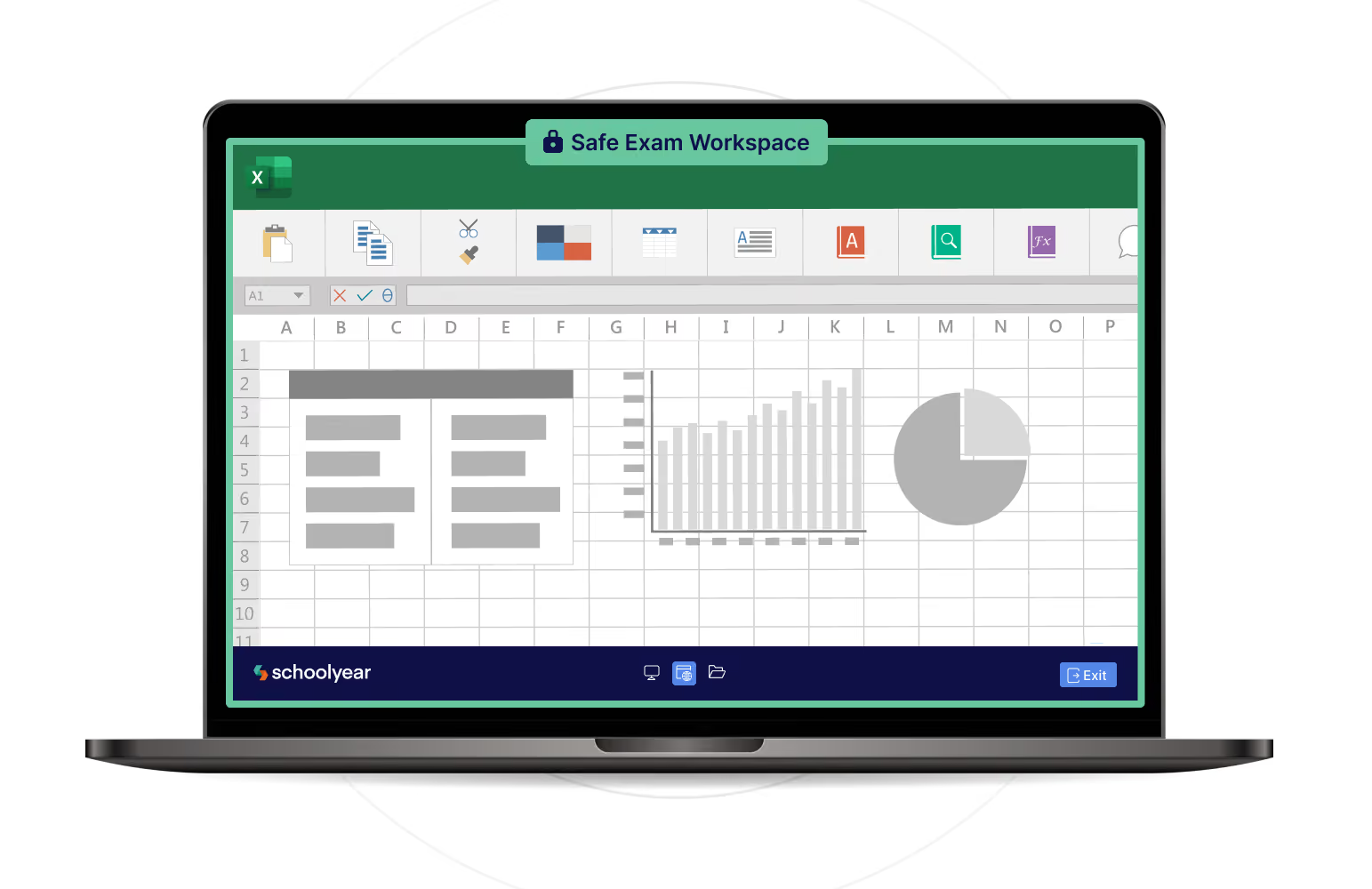
Digital exams increasingly involve the use of desktop applications such as Excel, SPSS, R, MATLAB, or coding environments. These applications need to run somewhere. On a BYOD device, that means on the student's own hardware, with their own installation, their own version, and their own in-app configurations, like add-ons in Excel.
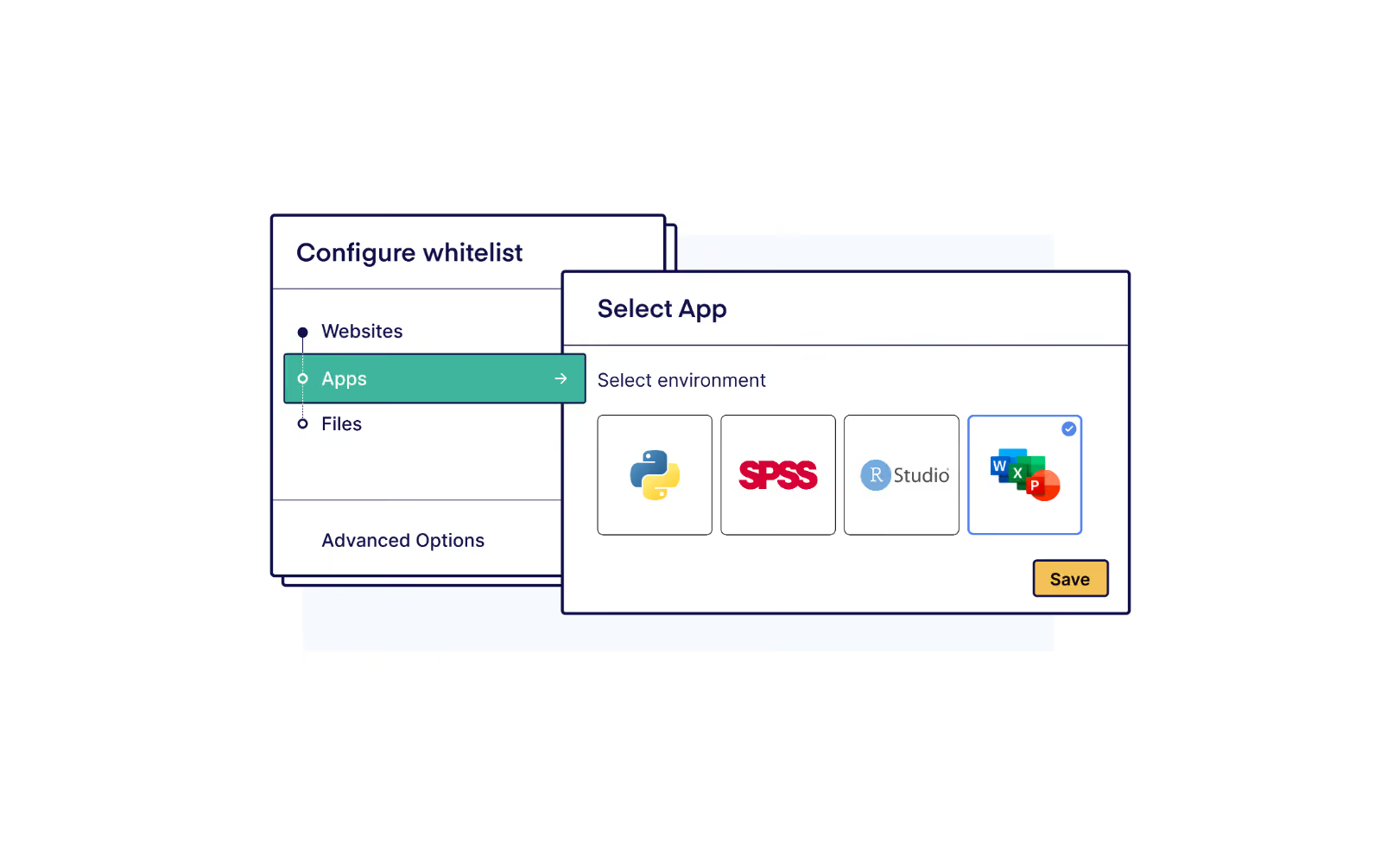
The only way to close off all cheating routes in these applications, from access to their personal files to AI assistants like Copilot, is by running the applications in an isolated environment. Here, the student's laptop becomes a display terminal. The application runs in a controlled isolated environment: a standardized version, no personal extensions, no access to the local file system or the internet. This means students can still use the real applications for their exam, but not use features that allow them to cheat.
→ How ROC van Twente runs secure Word and Excel exams on student-owned devices
4. An active security team behind the platform
BYOD exam security is a cat and mouse game. New bypass methods appear regularly and can often be downloaded for free online. An exam security platform without an active team monitoring and patching those vectors becomes less secure over time. When evaluating a solution, ask how quickly the vendor responds to newly discovered bypasses and if the patches are automatically rolled out to all students. The answer tells you whether you are buying a tool or a maintained security service.
How to address the practical challenges of BYOD exams
The practical challenges require a different set of measures: preparation before exam day, clear logistics during it, and a backup plan for when things go wrong anyway.
Run a pre-exam compatibility check
The single most effective thing you can do to reduce on-the-day disruption is to make sure device problems surface well before the exam. The best way to do this is to run a structured compatibility check in the days before exam week.
Vendors like Schoolyear offer the possibility for students to do a laptop check at home. If students experience issues during that check, institutions can organize ‘drop-in hours’.
In practice this looks like: IT staff are available in a room for a full day, and students drop in with their laptop and any questions or concerns they might have. Students who have a problem get it fixed on the spot. Those who show up on exam day without having done the check take on the risk themselves.
Some institutions build this into a broader onboarding moment at the start of the academic year: a short, guided walkthrough where students install the software, verify their setup, and confirm their device meets requirements. You can also take it a step further and do an actual test exam; this gives you insight into matters such as the battery life of specific devices and learn which students may need the ability to charge during an exam.
Prepare for the inevitable failures
Even with extensive preparation, some students will arrive on exam day with a device that does not work. You need a clear plan for what happens next. The most common approach is a small pool of loan laptops configured with the same exam security software. A student with a device problem sits down on a loan laptop and continues without disruption to the rest of the room. This method causes the least disruption during exams, because students don’t have to leave their seats.
Some institutions manage this within the exam room itself, with a spare laptop available at the front. Others route students to a separate room. Both approaches work; the important thing is that the process is defined before exam day, not improvised on it.
Brief your invigilators properly
An invigilator needs to know how to read the invigilator dashboard, what the common error states look like, what they can resolve themselves and when to escalate, and what the procedure is for students who need to move to a loan device.
For large-scale exams, institutions often deploy a second role alongside the invigilator: a technical support person who covers the corridor, responds to raised hands for device issues, and keeps problem students moving to a resolution without interrupting the rest of the room.
Plan for battery and power before exam day
Battery life is one of the most common practical issues in BYOD exams, and one that is easy to over-engineer. Some institutions have invested heavily in rewiring exam venues with built-in power points when simpler solutions work just as well.
The baseline is straightforward: require students to arrive with a fully charged device and communicate this clearly in advance. Most laptops handle a two-hour exam without issue. The problem sometimes surfaces with older devices or longer sessions, and it is worth identifying those cases early. A test exam during onboarding gives you useful data: you can see which devices struggle with battery life and flag those students before exam week.
For students whose device cannot last the full session, there are two practical options. The simplest is a loan device: a student with a critically low battery swaps to a loan laptop configured with the same device lockdown software, without disrupting anyone else in the room. For institutions that want a more permanent fix, some have had power routed from the ceiling or floor of dedicated exam venues. It is a significant investment, and rarely necessary if a loan device pool is already in place.
Avoid relying on extension cords. They are a trip hazard, housing departments typically object to them, and in a room of 200 students they create more problems than they solve.
What to include in a BYOD exam policy
Another way to rule out technical difficulties during exam day is setting a clear BYOD policy. This policy sets expectations on all sides, reduces surprises on exam day, and gives your institution a clear basis for handling edge cases.
Here’s what to include.
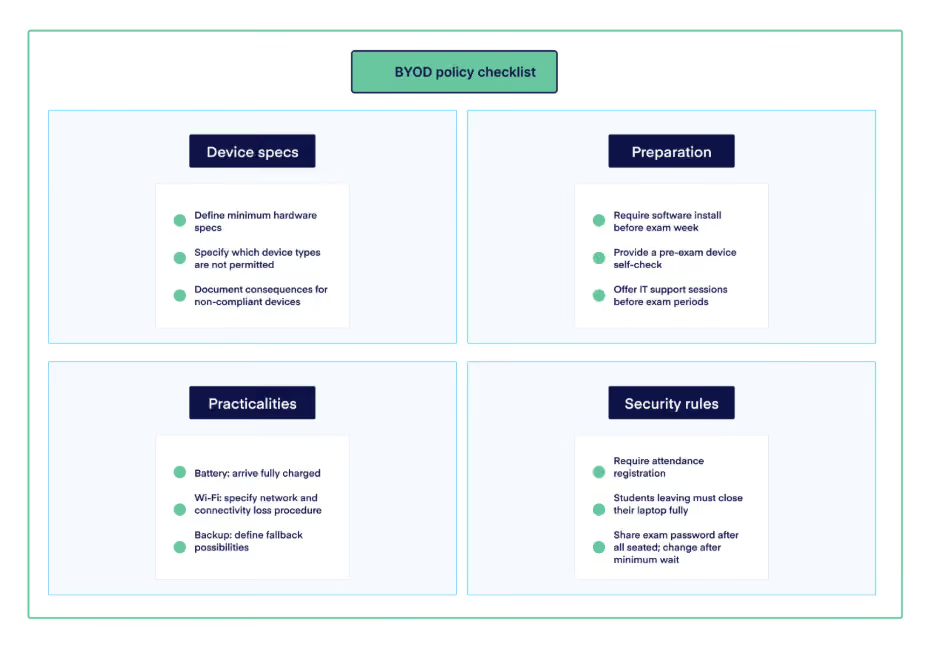
Device requirements
- Define the minimum hardware specifications required to run your exam security software (operating system version, RAM, storage, processor). Here is an example of what that looks like.
- Specify which device types are not permitted. Tablets are often incompatible with exam security software.
- Non-compliance: document what happens to the exam result if a student shows up with a non-compliant device.
Student preparation
- Require students to install and test the exam security software before exam week, not on the day.
- Provide a pre-exam self-check so students can verify their setup works.
- Offer scheduled support sessions before exam periods for students with technical issues.
Practical logistics
- Battery: students should arrive fully charged. Communicate in advance whether power points are available or what to do if a device’s battery life is insufficient.
- Wi-Fi: specify to which network students should connect before, and what happens if they lose connectivity mid-exam.
- Backup: define what happens when a student cannot participate due to device failure. Be explicit about whether a loan device or paper backup is available and in which cases.
Operational security rules
- Require attendance registration. A result with no matching attendance record should be treated as absent.
- Students who leave the room must close their laptop fully. An open, unattended device still connected to an active session is a security risk.
- Share an exam access password only after all students are seated. Change it after the minimum waiting period where students are not allowed to leave the exam room, so a student who leaves early cannot share it outside the room.
Moving from managed to BYOD: a phased approach
For institutions already running exams on managed hardware, the question is rarely whether to switch to BYOD overnight. It is how to introduce BYOD in a way that makes sense operationally without a disruptive change.
For most institutions, buying more managed hardware is not the right answer when the goal is to scale digital exams. Exam demand is uneven: significant peaks at end-of-semester, much less volume the rest of the year. BYOD is a better tool for absorbing those peaks. The key requirement is that your exam security platform supports both managed and BYOD devices in the same environment, so you are not running two separate setups.
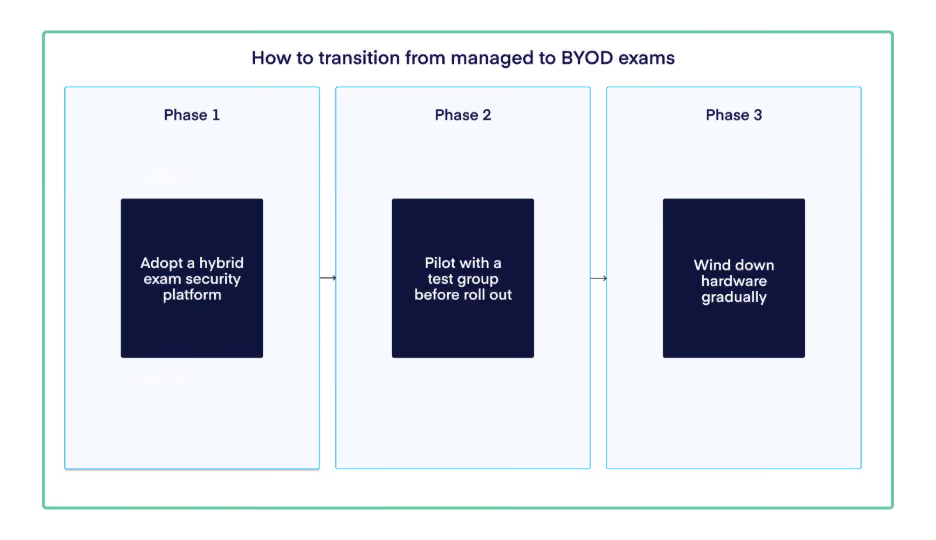
Phase 1: adopt one exam security solution for student-owned and managed devices
Adopt a device lockdown software solution that works identically for both managed and student-owned devices. A student on a managed laptop and a student on their own device sit in the same session with the same security guarantees.
In many cases, institutions offer specific exams (such as a coding exam) on managed devices, while offering web-based exams on student-owned devices. With the right device lockdown software, you don’t have to worry about distinction and can organize any exam type on any device.
Over time, your existing managed hardware becomes the backup pool: students with a device problem on exam day switch to a loan machine that runs the same environment without any disruption to the session.
Phase 2: gradually roll out your BYOD policy
Start testing BYOD exams with a single department, with a dedicated project team involved. Run a non-summative pilot first, where the stakes are low and the goal is to find what needs to be fixed before real grades are on the line.
After the pilot, update processes, manuals, and student communication before running a summative exam. Run a summative session successfully before expanding to another program. The pattern should be: formative pilot, refine, summative pilot, refine, then expand.
Phase 3: wind down managed hardware gradually
As BYOD adoption expands, managed hardware winds down naturally as devices reach end of life rather than being refreshed. A smaller pool remains as loan machines rather than the default exam infrastructure. This means: higher flexibility, lower costs, and more scalability.
BYOD exams done right
Moving from digital exams on managed devices to BYOD is a significant operational shift. Simply deploying a lockdown tool and hoping for the best is not a strategy, especially not at scale.
Schoolyear is a device lockdown software solution built specifically for BYOD exams. More than lockdown software, it comes with a team that understands how BYOD exam programs are built, what goes wrong in practice, and how to help you get your policy, preparation, and security setup right before the first real exam runs.
If you are working through the transition to BYOD or looking to tighten up a setup that is already running, we are happy to think through it with you.