.jpg)


Most digital exam setups are built around one principle: lock the entire device down. Students get no access to any resources outside of the exam. But what if that is not what you want? What if the whole point of your exam is that students can consult their notes, an article, a website or even AI?
For many educators, this raises an obvious question: if I want students to have access to all those resources, why would I use a device lockdown solution at all? Lockdown software and open book exams seem like opposites. One is about closing things off, the other about opening them up.
But even if you would want to give students access to the entire internet, you still want to be sure students are not collaborating with each other or having someone else take the exam for them. And if you allow AI, you almost certainly want to see how it is being used - not have students copy-paste entire answers from ChatGPT. A well-configured lockdown solution is exactly what makes a controlled open book exam possible.
In this article, we discuss what online open book exams are, why they are pedagogically valuable, what challenges come with running them, and how to configure a setup that gives you real control over what students can and cannot access.
What is an online open book exam?
An online open book exam is any digital exam in which students are permitted to consult certain resources during the assessment. That might mean a formula sheet, their own notes, a book, a PDF, an article, a specific website, a piece of software, or, increasingly, an AI tool like ChatGPT.
The format varies considerably by discipline and exam design. A few concrete examples:
- Social sciences: In subjects like sociology, psychology, history, or political science, students write an essay or analyze a case study with access to course readings, articles, and their own notes. The task is interpretation and argumentation, not recall.
- Business and communication: Students draft a professional email, letter, or short report responding to a workplace scenario, with reference materials available. The skill being tested is how they apply communication conventions to a real situation.
- Law: Students answer case questions with access to the relevant legislation. The task is applying the law, not reciting it.
- Vocational training: Students complete a practical task with the relevant manual or product documentation open. The task is applying the procedure correctly, not memorizing every step.
Why online open book exams are growing in popularity
You test how students apply information instead of how they memorize it
Closed book exams measure what students know without access to any resources. In many disciplines, that tests memory more than understanding. A law student who can recite legislation verbatim is not necessarily a better lawyer than one who knows how to find and apply the relevant statute.
Open book exams shift the focus toward what students can do with information: applying a framework to a case they have not seen before, interpreting a text, justifying a decision. These are the skills that hold up in practice and they are difficult to demonstrate by memorization alone.
They reflect how professionals actually work
Professionals often do not work from memory. They look things up online, check documentation, and use software. An exam that allows the same is a better measure of actual competence than one that strips those resources away. If students have been learning with a textbook, a manual, or a piece of software all semester, assessing them in a stripped-down environment tests the wrong thing.
Some educators want to assess students while they use AI
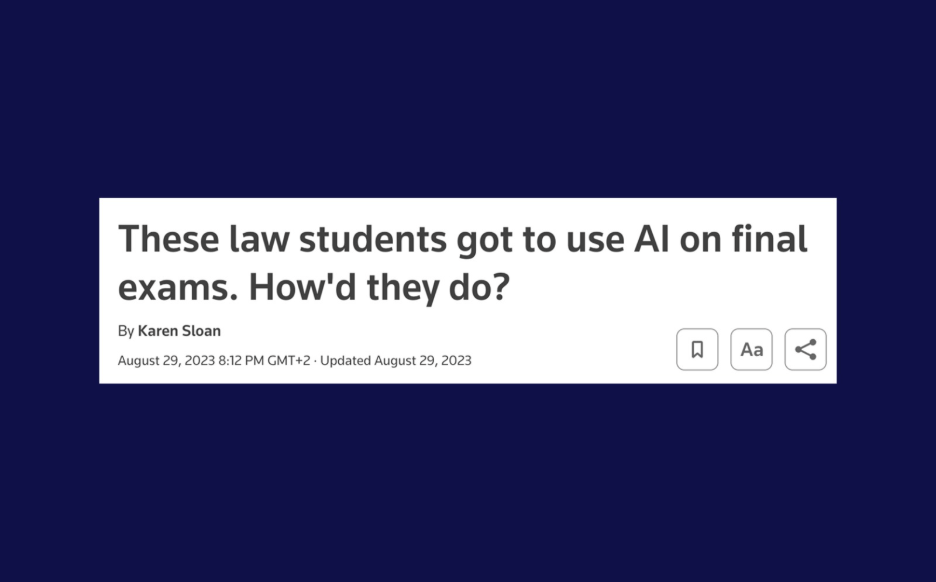
A growing number of educators take the position that AI tools are part of how students will work in their career, and that preparing them to use it well is essential. If that is the goal, it makes little sense to ban AI during assessment. The exam should reflect the skill you are trying to develop.
Allowing AI does not mean the exam becomes trivial. The question shifts from 'what do you know' to 'what can you do with this'. Can you identify when AI output is wrong? Can you use it to construct an argument you can actually defend? Can you make a judgment call that requires context AI does not have?
What if you want to allow everything?
Some educators take this argument to its conclusion: if professionals can use anything, students should be able to use anything too. Why bother with a lockdown solution at all? Just let them work on an open laptop with full internet, AI, and any application they want.
Pedagogically, this sounds defensible. In practice, it overlooks something important: an open book exam still needs to be the student's own work. The question is no longer 'did they have access to the right material', but 'did they actually take the exam'.
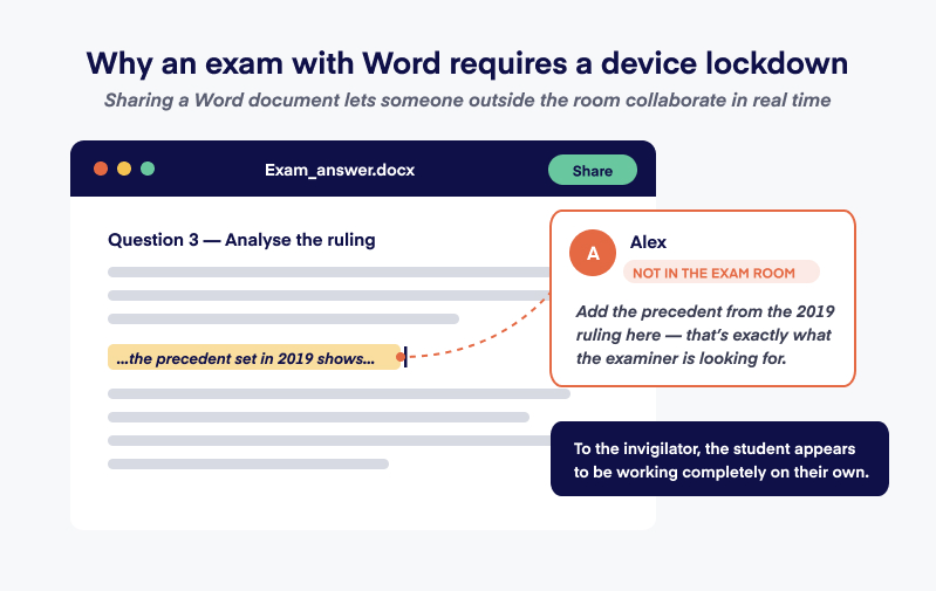
Without any controls, that is impossible to verify. A student can grant access to the exam to someone outside the room via TeamViewer or by simply sharing access to a Word document. A friend, tutor, or paid third party can sit at home and type the answers. A group chat on WhatsApp can effectively turn the exam into collaborative work. None of this is visible to the invigilator. The exam is still being submitted under one student's name, but it is not their work.
So even in the most permissive setup - where AI is fine, the internet is fine, any application is fine - you still need to be able to block communication, prevent remote access, and confirm that the person sitting at the device is the one being assessed. That is what device lockdown is for in an open book context.
How to technically set up an online open book exam (and prevent collaboration)
Step 1: Define which resources students can and cannot access
You need to decide exactly what students are allowed to access and what must stay off-limits. That decision should follow directly from what the exam is testing.
Start with what you want to allow:
- Which URLs should students be able to access?
- Which files should they be able to access? Are they allowed to bring their own notes and files?
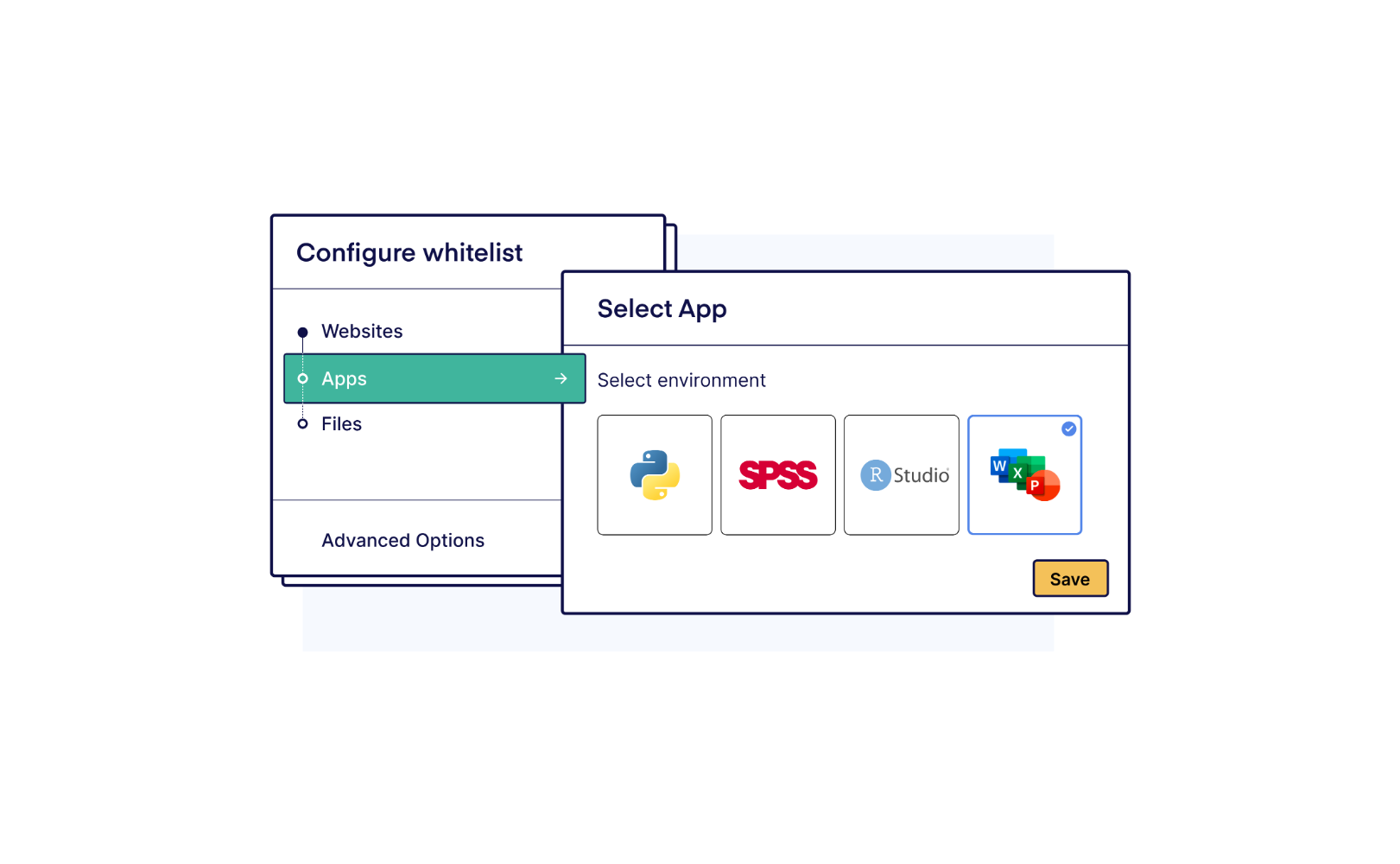
- Which desktop applications, such as Excel or SPSS, should they be able to use? Should they have access to add-ins, personal files or AI within those applications?
- Should students have access to AI?
Then define where their access should be cut off. Even if you want to allow access to the entire open web and AI, you probably still want to disable communication via WhatsApp or collaboration via remote access tools.
It is tempting to approach this the other way around: just make a list of what is not allowed. But that does not work. For every tool you think to block, there are ten more you have not heard of, and new ones appear every week. The list of things to forbid is effectively infinite.
The only reliable approach is the reverse. You define exactly what students are allowed to access, and everything else is blocked by default. This is called whitelisting, and for an open book exam it is the only approach that holds up.
Step 2: Pick the right software
Once you know what you want to allow and what you want to block, the real question is whether your software can actually enforce it.
Traditional lockdown browsers are poorly suited to open book exams where desktop applications such as Word, Excel, or SPSS are permitted. Their only way to permit an application is to whitelist it entirely, and once it is open, so is everything inside it. They can now use the application to communicate externally. For instance, a student could save their Word document to OneDrive and use the Share feature to allow someone outside the classroom to collaborate on it in real time.
What most educators actually want is the opposite: the freedom to allow a wide range of resources, including desktop applications, while keeping tight control over what students cannot reach - even on student-owned devices, where the institution has no administrator rights. Schoolyear is a device lockdown solution built specifically to solve this.
Schoolyear makes open book exams possible without giving up control:
- Whitelist exactly the resources you want to allow - specific files, web pages, and even ChatGPT
- Let students use desktop applications such as Word or Excel while blocking the possibility to collaborate with others
- See exactly how AI is being used during the exam - allow ChatGPT or other AI tools while keeping visibility into how students interact with them, so you can distinguish thoughtful use from copy-paste shortcuts
- Assurance that students take their own exams without the ability to communicate or collaborate with others
- Invigilators get real-time alerts the moment a student tries to bypass the lockdown
Online open book exams require a flexible, yet secure setup
Online open book exams are becoming more common because they test something different from traditional closed-book exams: not whether students can memorize information, but whether they can apply it. In many disciplines, that is a closer reflection of how professionals actually work. With AI tools, knowledge is widely available; it’s much more interesting to assess if students can apply it. The concern is making sure the student in front of the device is actually the one taking the exam, and that nobody else is helping them through a backdoor like WhatsApp, a shared document, or remote access.
That is why the technical setup is key. Institutions need a way to precisely define which resources students can access and reliably block everything else, even on student-owned devices.