.avif)


Institutions looking for Canvas proctoring software or lockdown browser software typically want to secure their high-stakes Canvas Quizzes against cheating without making the set-up complicated, intrusive, or hard to manage at scale.
Canvas itself includes built-in quiz controls such as time limits, access codes, IP restrictions, and question randomization. These settings serve as a first layer of defense but aren’t sufficient to make Canvas ready for high-stakes online exams.
Because Canvas does not natively provide webcam monitoring, screen recording, device-level lockdown, or secure use of applications, institutions typically integrate a dedicated third-party exam security solution on top.
Proctoring tools focus on monitoring students during remote exams, while lockdown tools focus on technically preventing cheating in the first place.
Below, we compare five widely used options to secure Canvas exams and explain where each one fits best. We’ll start off with two exam security solutions that focus on prevention, followed by three solutions that focus on monitoring.
The best preventive exam security tools for Canvas
1. Schoolyear - Safe Exam Workspace for Canvas Quizzes
While proctoring solutions monitor the screen to catch possible cheating, Schoolyear is built to prevent cheating.
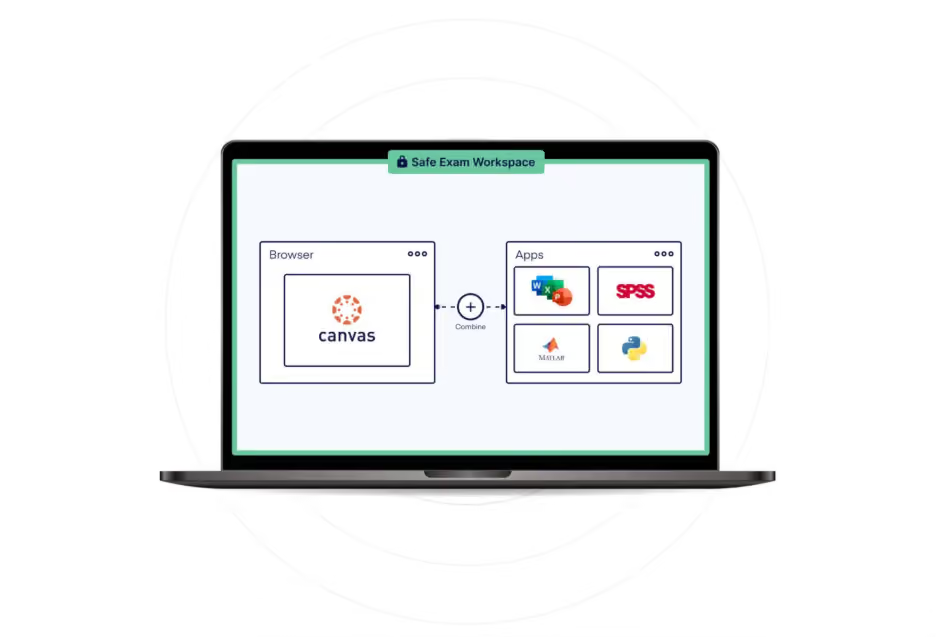
Students start their exam in Canvas Quizzes, but before they get access to the exam questions, their device will first enter a lockdown mode. This mode ensures that the students only get access to Canvas Quizzes and pre-approved resources. It blocks anything else: browsing the internet, opening new tabs or browser plugins, running other applications in the background (such as screensharing software), and most importantly: AI tools like Claude and ChatGPT.
The key advantage of Schoolyear compared to other exam security tools is that it locks the device at the system level, rather than only the browser. This is necessary to block the lower-level bypasses that are freely available online.
Think of students running the exam in a virtual machine or getting help from outside of the classroom through remote desktop software such as Teamviewer. Or modern AI cheating tools that don’t show up in screen recordings made by traditional proctoring tools.
The average proctoring tool operates inside the student’s personal browser, capturing only what happens within that environment. But modern bypasses run as separate desktop applications, outside of that scope. To a proctor reviewing footage, everything looks normal: the exam is in focus, no tabs are switched, and no suspicious behavior is visible. That's why you need to block these tools from being able to run in the first place.
Schoolyear not only blocks the ability to cheat, but also continuously verifies that its blocking mechanisms are still active during the exam. If the security mechanisms are somehow compromised, invigilators receive an immediate alert via the Schoolyear dashboard. This dashboard can be opened directly within the Canvas Quizzes settings. With tools that don’t offer a dashboard like this, you’ll simply never know if a student was able to bypass security.
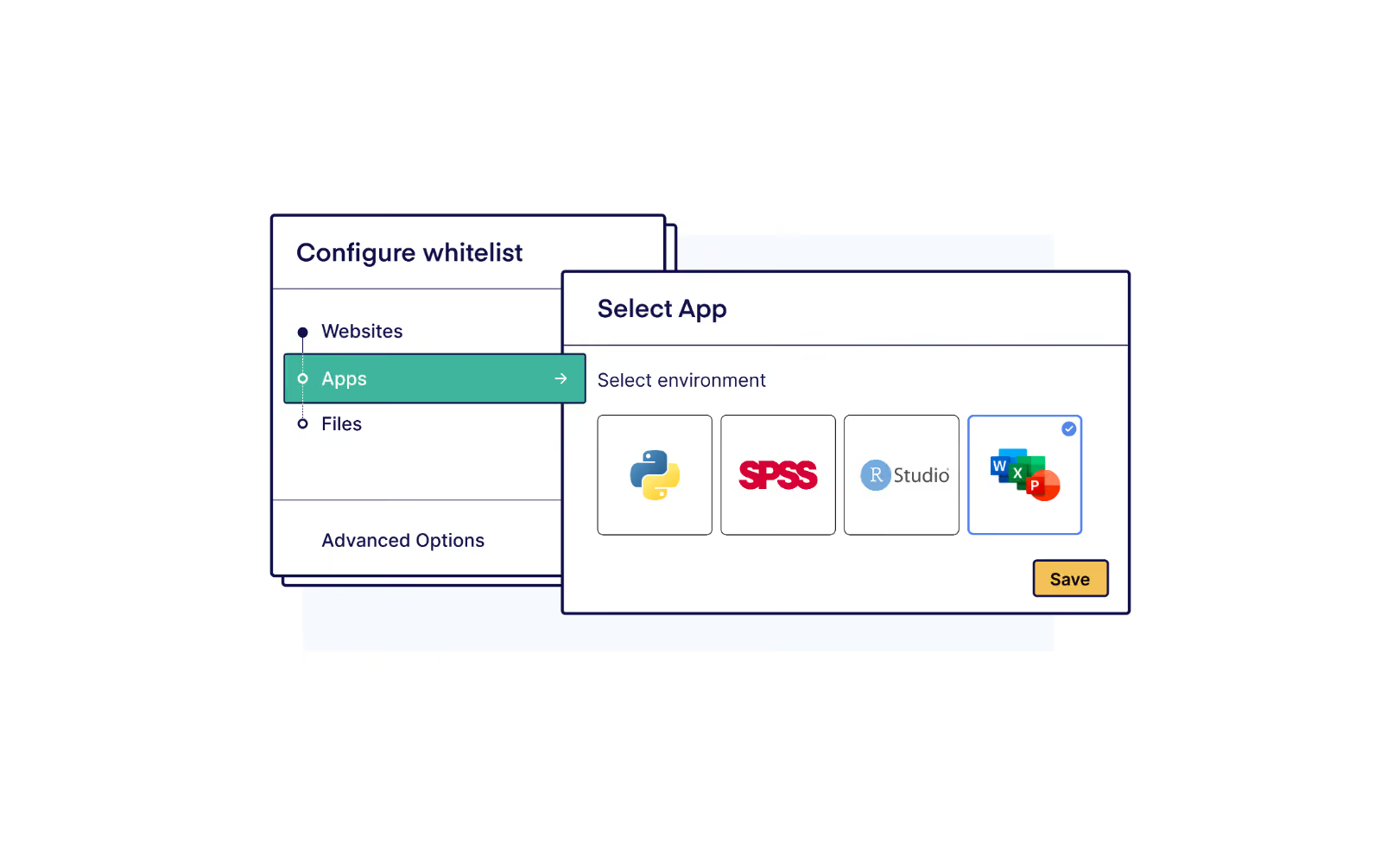
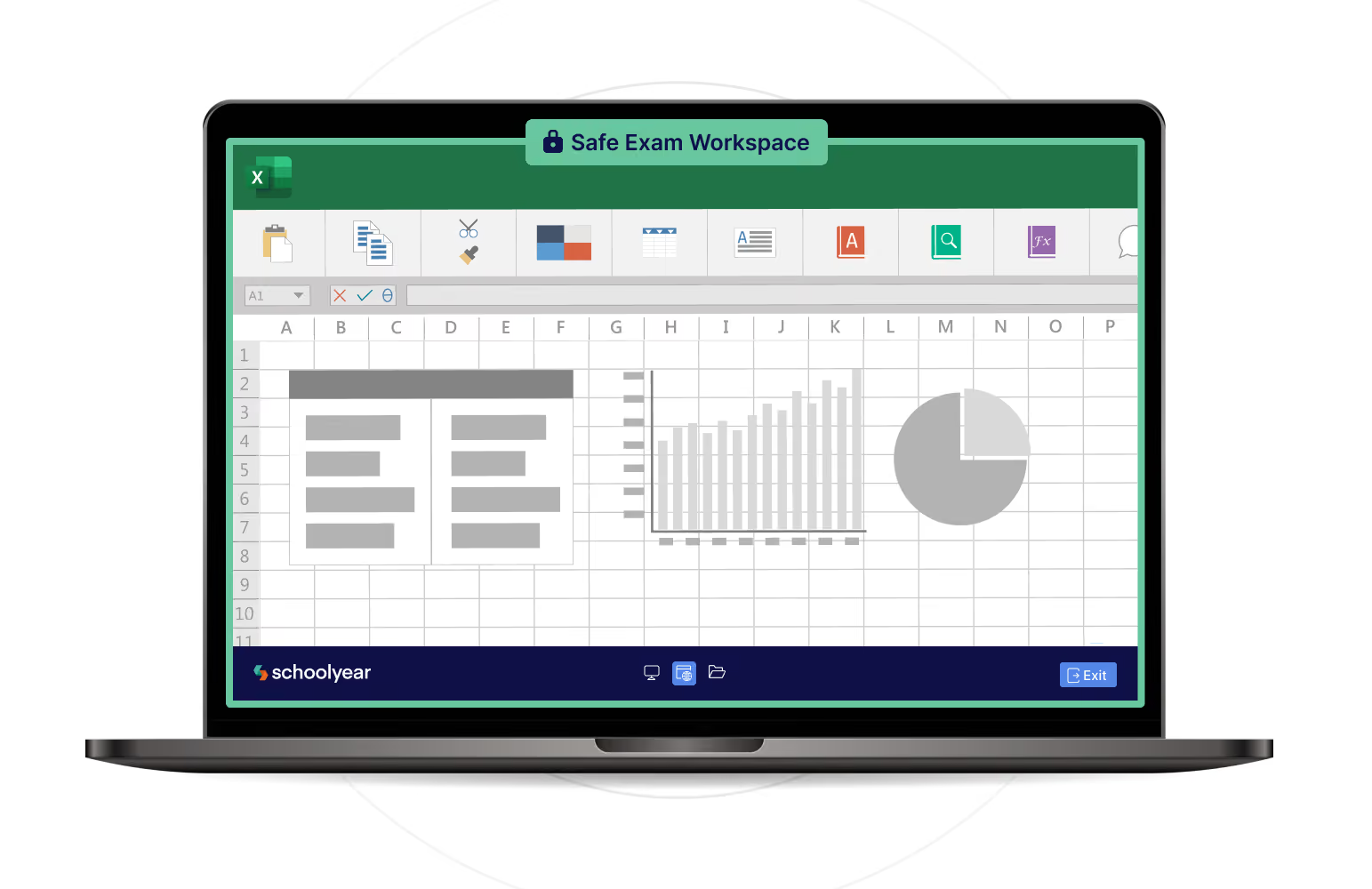
Schoolyear also offers a unique method of securing application-based exams. This is relevant for institutions that increasingly want to assess real-world skills by letting students use desktop applications such as Word, Excel, R, SPSS, MATLAB, or VS Code during exams. In most proctoring setups, these applications run directly on the student’s own laptop, which means students can still access personal files or built-in AI tools inside these applications.
→ How ROC van Twente runs secure Word and Excel exams on student-owned devices
Schoolyear instead isolates these applications by running them in a secure isolated workspace. This means the apps have the same capabilities but are isolated from the student’s own files and the internet. A side benefit of this is that all students get access to the exact same application, no matter their device.
Where Schoolyear fits best
- Institutions that prioritize prevention over proctoring
- Institutions that deliver exams in-person
- Institutions that want to assess real-world skills in desktop applications
- Institutions that also would like to adopt BYOD (Bring Your Own Device)
- Institutions that require privacy-friendly exam security
Limitations and considerations
Schoolyear is not built for remote proctoring, but for in-person exam settings. It doesn’t provide webcam recording or AI-based behavioral flagging. Institutions that require recorded video evidence should consider monitoring-based tools.
2. Respondus
Respondus provides a dedicated lockdown browser that students must install before their exam. This browser replaces their normal browser during the test and blocks actions like opening new tabs, copying and pasting, printing, or visiting other websites.
In addition, institutions can enable Respondus Monitor as an add-on. This tool records the student’s webcam (and optionally microphone) during the exam. Students may also be asked to complete steps such as an ID check or a short room scan before the test begins.
The system uses automated analysis to flag moments that may require attention, such as unusual movements or the presence of another person. Instructors can then review these recordings after the exam to determine whether further investigation is needed.
Best suited for
- Browser-based exams inside an LMS such as Canvas
- Low stakes quizzes and assessments
- Application-based exams in managed computer labs
Limitations and considerations
Respondus uses local whitelisting for application-based exams which is not secure on student-owned devices. When students use programs like Excel or Word with this setup, those applications run directly on the student’s computer. This makes it impossible for the institution to fully control access to personal files or built-in AI tools inside the application. However, on managed computers, this method can be secure if the IT department adds additional system policies to block internet and shared drives.
In addition, Respondus doesn't actively verify whether its blocking mechanisms remain intact during the exam. There is no dashboard that verifies if the lockdown is still intact, therefore invigilators are not automatically alerted if the secure environment is compromised. In practice, a security breach can go completely unnoticed during an exam.
In high-stakes environments, these limitations can be problematic.
The best proctoring tools for remote exams in Canvas
3. Proctorio
Proctorio combines a lockdown of the student's personal browser with webcam, microphone, and screen recording.
Students typically install a Chrome extension before starting the exam. This extension enforces full-screen mode, and blocks certain browser functions such as opening new tabs, copying and pasting, or accessing developer tools. At the same time, the system can record webcam video, microphone audio, and screen activity.
Proctorio also uses automated detection systems that flag potentially suspicious behavior, such as leaving the screen or unusual movements. These flagged moments can then be reviewed by instructors or exam administrators after the exam has finished.
Best suited for
- Remote exams
- Institutions requiring recorded evidence
- AI-flagged monitoring for institutions that don’t have the time to review all videos
Limitations and considerations
Proctorio’s browser extension is limited to what a browser extension can do, lower-level bypasses outside the browser are not secured. Virtual machine-based bypass attempts remain an important threat model for browser-based exam security. Proctorio does claim to offer VM detection features in a separate app, but institutions should validate how those controls perform in their own deployment.
Proctorio is known for its automated flagging functionality, but this can also be a limitation. When you depend on reviewing only flagged footage, there is a risk that cheating goes unnoticed if the AI does not detect or flag the behavior. In addition, automated systems can produce a relatively high number of false positives.
In addition, monitoring-based approaches depend on detecting suspicious behavior. In practice, this can be challenging. AI-assisted cheating inside applications or browser tools is not always clearly visible on screen, especially during large-scale exams.
Incidents are therefore typically handled through review of flagged sessions rather than structural prevention. Large-scale video review requires significant manual effort, and institutions must also address privacy, consent, and data retention when recording students.
4. Honorlock
Honorlock focuses on remote proctoring with the added ability to escalate suspicious behavior to live human proctors during the exam.
Students are required to install a Chrome extension before starting the exam. This extension restricts browser activity while recording webcam, microphone, and screen output. In some configurations, an additional desktop application is required to provide extended controls beyond the browser environment.
Even with this additional layer, enforcement is largely centered around the browser. Institutions should therefore evaluate how effectively activity outside the browser is detected or controlled, especially as new tools and bypass techniques continue to emerge.
Honorlock's monitoring system also uses automated analysis to flag behavior that may indicate potential misconduct, such as unusual movements, additional voices, or attempts to access external resources. Flagged sessions can then be reviewed by human proctors, and in some configurations, alerts may trigger live intervention during the exam.
Best suited for
- Remote exams
- Institutions requiring live supervision
Limitations and considerations
Like other monitoring-based solutions, Honorlock mainly watches what students do rather than technically isolating the entire device. Suspicious behavior is detected through monitoring and later review, instead of being blocked at the system level. Modern cheating tools that use virtual machines or overlays may go unnoticed in recordings.
Privacy and scalability should be considered carefully, especially since exam security will rely in part on watching recordings after the exams are finished.
5. SMOWL

SMOWL focuses primarily on verifying student identity and monitoring exam behavior rather than locking down the device environment.
It offers a browser extension and a monitoring desktop app. The browser extension offers lightweight blocking mechanisms that are limited to anything that happens inside of the browser. The desktop app can also monitor active applications, connected devices, and clipboard activity. Note that none of these applications are blocked, but the usage is only being logged for post-exam review.
The platform verifies that the correct student is taking the exam using facial recognition and identity checks. During the assessment, SMOWL takes periodic snapshots of the students’ face, screen, and environment. It then uses AI to flag any suspicious behavior that needs to be checked after the exam.
As with tools such as Proctorio and Honorlock, the primary approach is observation. The system monitors the exam session and records activity so institutions can review what happened during the assessment if needed.
Best suited for
- Identity-sensitive remote assessments
- Monitoring-driven exam models
Limitations and considerations
SMOWL mainly focuses on observing exams rather than preventing risks upfront. The system records students during the test so suspicious behavior can be reviewed afterward. Because applications run on the student’s own laptop, they may still access personal files, background apps, or built-in AI features within those programs.
As with other monitoring-based approaches, institutions should consider the workload of reviewing recordings after exams and privacy implications of the recording itself.
How to choose the right lockdown or proctoring tool for Canvas
There is no universally “best” solution for your institution. You should evaluate:
- Are your exams in-person or remote? (Note: many institutions pick a separate solution for each use case)
- Do you want to prevent cheating or rely on monitoring and watching footage after suspicious behavior has been flagged?
- Are your exams low-stakes or high-stakes, where every breach is unacceptable?
- Do you want to assess real-world skills with desktop applications?
- How important is student privacy in your assessment approach?
- Does your institution have the capacity to watch hours of footage after each exam?
The right choice depends on how you answer the above questions.
If you’re looking to prevent cheating during in-person digital exams, Schoolyear is your best bet. It was built for exams on both managed and student-owned devices, is privacy-friendly, and enables the assessment of real-world skills in desktop applications.
→ Try out Schoolyear for free
FAQ about proctoring in Canvas
Can Canvas detect or block screenshots without proctoring?
No. Canvas does not natively detect screenshots taken on a student’s device. Without an integrated proctoring or exam security solution, the platform cannot monitor or block operating system-level actions such as screen capture, external applications, or background browser activity.
What does “proctoring enabled” mean in Canvas?
When “proctoring enabled” appears in Canvas, it typically indicates that a third-party exam security or proctoring tool has been integrated into the course. Canvas itself does not include built-in webcam monitoring. The label refers to an external solution configured for that specific assessment.
Does Canvas have built-in proctoring?
No. Canvas includes quiz controls such as time limits, access codes, IP restrictions, and question randomization. These help reduce basic forms of misconduct but do not constitute full proctoring. For complete cheating prevention or monitoring, institutions need an integrated third-party solution.
Can Canvas proctoring tools support application-based exams?
Most browser-based tools focus on web exams. If students need to use applications such as Excel, SPSS, Python, or MATLAB, additional controls are required. Schoolyear currently offers the only secure method to run application-based exams.